Algorithmic Pacing: How Editing Affects AVD (Average View Duration)
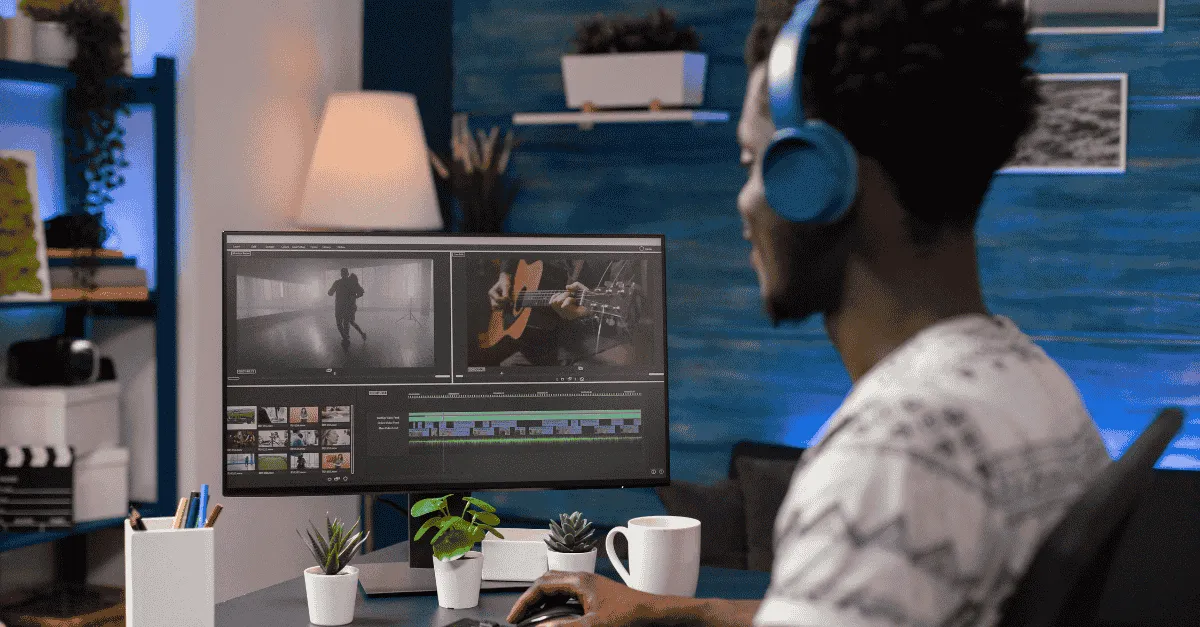
Video pacing is the rhythm and speed at which a video delivers information, controlled by editing. This rhythm directly impacts Average View Duration (AVD), the primary metric the YouTube algorithm uses to determine content value. Mastering pacing means finding the "Sweet Spot" to avoid both viewer boredom and confusion.
Algorithmic Pacing: How Editing Affects AVD (Average View Duration)
What is video pacing and how does it affect the YouTube algorithm?
Video pacing is the rhythm and speed at which a video delivers information to the viewer, controlled by the frequency of cuts, dialogue speed, and visual changes.
Pacing directly correlates with Average View Duration (AVD). A properly paced video minimizes "cognitive drift" (boredom) without causing "cognitive overload" (confusion). High AVD signals to the YouTube algorithm that the content is valuable, which triggers broader distribution in the "Recommended" feed.
The YouTube algorithm does not watch your video.
It does not know if your jokes are funny. It does not know if your lighting is cinematic. The algorithm does not know if your advice is life-changing.
The algorithm is a math equation, and it primarily measures one metric to determine your fate: Average View Duration (AVD).
If you have a 10-minute video, and the average viewer leaves at the 2:00 mark, the algorithm assumes the video is low quality. It stops recommending it. Your growth flatlines.
Most creators look at this data and assume the topic was boring or the script was bad.
But in 80% of cases, the content was fine. The video pacing was wrong.
You were dragging when you should have been sprinting. You were sprinting when you should have been walking. You lost the viewer not because they weren't interested, but because their brain fell out of sync with your edit.
In 2026, editing is no longer just about assembling footage; it is about Algorithmic Pacing. It is the invisible metronome that keeps the viewer’s brain hooked to the "Play" button.
This guide explores the science of editing rhythm and how to manipulate time to engineer higher retention.
(This technical deep dive pairs well with our guide on How to Scale Video Production: From 1 to 3 Videos a Week.)
The Science of AVD (Why the Algorithm Loves Pacing)
To understand pacing, we must understand the "Feedback Loop" of the algorithm.
-
YouTube shows your video to a test group.
-
YouTube measures AVD (How long they watched) and Retention (Where they dropped off).
-
If AVD is high, YouTube expands the test group.
The enemy of AVD is Cognitive Drift.
This is the moment when a viewer’s mind starts to wander. They are looking at the screen, but they are thinking about what to eat for dinner. Once drift happens, the thumb instinctively scrolls to the next video.
Boredom vs. Confusion
Your editing pacing must navigate a narrow channel between two extremes:
-
Too Slow (Boredom): The information density is too low. The viewer "gets it" before you finish the sentence. Result: They click away.
-
Too Fast (Confusion): The information density is too high. The viewer feels overwhelmed or anxious. Result: They click away.
-
The Sweet Spot (Flow): The editing speed matches the viewer’s processing speed perfectly.
YouTube algorithm secrets aren't about hashtags or upload times. The secret is keeping the viewer in that "Sweet Spot" for the entire duration of the video.
Defining "Pacing" (It’s Not Just Cutting Fast)
When creators hear "improve your pacing," they often think it means "cut faster." They try to mimic MrBeast or TikTok editors by removing every millisecond of silence.
This is a mistake. Pacing is multidimensional.
1. Visual Pacing (The Eye)
This is the frequency of visual change.
-
Low Pace: A static talking head for 20 seconds.
-
High Pace: A cut, zoom, or B-roll overlay every 3 seconds.
High visual pacing keeps the optic nerve stimulated, but it can be exhausting if sustained for too long.
2. Audio Pacing (The Ear)
This is the BPM (Beats Per Minute) of your soundtrack and the cadence of your voice.
-
You can have a "slow" visual (a long drone shot) with "fast" audio (rapid-fire narration).
-
This contrast creates a unique editing rhythm that feels energetic but not chaotic.
3. Narrative Pacing (The Mind)
This is how quickly the story advances.
-
You can have fast cuts (Visual) and loud music (Audio), but if you spend 5 minutes repeating the same point, your Narrative Pacing is slow.
-
The viewer will feel "frantic but empty." This is the most common reason for retention drop-offs in educational content.
"Heartbeat" Method: Variable Pacing Strategy
The biggest mistake in modern editing is Monotony.
Monotony doesn't just mean "slow." Constant speed is also monotonous.
If you watch a video that is 100% high-energy, screaming, fast-cutting madness for 10 minutes, you will get "Retention Fatigue."
To maximize AVD, you need an audience retention strategy based on Variable Pacing. Think of it like a heart rate monitor.
Phase 1: The Sprint (The Hook)
-
Time: 0:00 to 0:45.
-
Pacing: Hyper-fast.
-
Technique: Cut every 2 seconds. Sound effects on every transition. Kinetic typography.
-
Goal: Dopamine spike. Convince them to stay.
Phase 2: The Jog (The Content)
-
Time: 0:45 to 8:00.
-
Pacing: Steady, rhythmic.
-
Technique: Cuts every 5-8 seconds. Background music is present but subtle.
-
Goal: Clarity. Deliver the value without exhausting the viewer.
Phase 3: The Walk (The Emphasis)
-
Time: Key moments of emotional or intellectual weight.
-
Pacing: Slow.
-
Technique: Hold the shot. Cut the music entirely. Zoom in slowly.
-
Goal: Authority. Force the viewer to digest the heavy point you just made.
Cycling through Sprint >Jog > Walk > Sprint, enables you to give the viewer's brain "Micro-Rests,". This allows them to watch a 20-minute video without feeling tired.
3 Editing Techniques to Control Rhythm
How do you execute this in the timeline? Here are three specific techniques our editors use to control the flow.
1. J-Cut and L-Cut (The Glue)
The j-cut technique is the most fundamental tool for pacing.
-
Hard Cut: Video and Audio cut at the exact same time. (Feels jerky).
-
J-Cut: You hear the audio of Scene B before you see Scene B. (The audio looks like a "J" on the timeline).
-
L-Cut: You keep hearing the audio of Scene A while seeing the video of Scene B.
Why it works: It creates a "Bridge." The audio propels the viewer forward into the next scene before their eyes have registered the change. It makes a 10-minute video feel like a continuous stream rather than a series of blocks.
2. Speed Ramps (Respecting Time)
There is nothing more boring than watching someone type on a keyboard or walk down a hallway in real-time.
-
Technique: We ramp the speed to 500% or 1000% for the "action," then slow back down to 100% for the "result."
-
Impact: This signals to the viewer: "I respect your time. I am fast-forwarding the boring stuff so we can get to the value."
3. "Breath" Edit (The Human Element)
In the era of AI editing, silence is often auto-deleted.
But sometimes, a breath is a powerful pacing tool.
-
The Scenario: You just delivered a hard truth or a tragic story.
-
The Edit: Instead of jumping to the next sentence, the editor leaves in a deep exhale or a 2-second silence.
-
Impact: This breaks the "Robotic" feel. It allows the emotion to land. It is a "Walk" moment in a "Jog" video.
Pacing by Genre (Context is King)
There is no universal "correct" pace. Fast vs slow pacing depends entirely on the context of your channel.
Talking Head / Educational
-
Target Pace: Medium.
-
Focus: Clarity.
-
If you cut too fast, the student misses the lesson. If you cut too slow, they get bored. Use B-roll to visualize concepts, but keep the voiceover steady.
Vlog / Lifestyle
-
Target Pace: High Variance.
-
Focus: Emotion.
-
Vlogs need extreme contrast. A 30-second fast-paced montage of the city (set to House music) should be immediately followed by a slow, quiet scene in a hotel room. The contrast is the content.
-
(See our guide on Vlog Editing Services: Storytelling vs. Montages for more on this structure.)
Shorts / Reels
-
Target Pace: Hyper.
-
Focus: Dopamine.
-
There is no room for "Walk" pacing here. Every second must offer new visual information.
How to Brief Your Editor on Pacing (Vocabulary)
If you outsource your editing, you need to speak the language of pacing.
Don't just say: "Make it more engaging." That is subjective.
Give precise instructions based on the "Heartbeat" method.
Bad Feedback: "This feels slow."
Good Feedback: "The intro (0:00-1:00) needs to be a Sprint. Please increase the cut frequency to every 3 seconds. But for the technical explanation (3:00-5:00), keep it a Jog so they don't miss the details."
The Editing Machine Advantage:
This level of detailed pacing requires time. It requires an editor to finesse audio frames and time transitions perfectly to the beat.
-
LITE Plan: Good for "Jog" pacing (Clean, standard cuts).
-
PLUS / PRO Plans: Essential for "Variable" pacing. The higher credit allowance gives our editors the time to engineer the J-Cuts, speed ramps, and sound design that drive high AVD.
Analyzing the Retention Graph (The Audit)
You can measure your pacing success today.
-
Open YouTube Studio.
-
Go to a recent video's Engagement tab.
-
Look at the Audience Retention Graph.
"Flatline" Goal:
A perfect video has a graph that looks like a flat line (or a very gradual decline). This means people are watching the whole way through.
"Dip" Audit:
Find a sharp drop (Valley). Click the timestamp. Watch the video.
-
Did you ramble for 30 seconds? (Narrative Pacing too slow).
-
Did the screen stay on a static slide? (Visual Pacing too slow).
-
Did you switch topics abruptly? (Pacing too fast/confusing).
Fix:
Next time, insert a Pattern Interrupt (Text, Sound, B-Roll) at that exact second.
You are not just editing video; you are repairing leaks in a bucket.
Conclusion
We often think of video editing as an artistic endeavor.
But when it comes to the YouTube algorithm, editing is engineering.
-
You are engineering attention spans.
-
You are engineering dopamine hits.
-
You are engineering retention.
You are the conductor of the orchestra. If you wave the baton frantically for 10 minutes, the audience gets a headache. If you wave it too slowly, they fall asleep.
Control the tempo. Vary the rhythm. Guide them through the Sprint, the Jog, and the Walk.
Don't know if your pacing is killing your channel?
Create an account with Editing Machine. Let our editors audit your footage and apply the “Heartbeat Method” to your next upload.
Frequently Asked Questions (FAQ)
Q: What is the best pacing for YouTube videos?
A: There is no single "best" speed, but a general rule for retention is to change the visual element every 4 to 8 seconds for educational content, and every 2 to 4 seconds for entertainment content. The goal is to reset the viewer's attention span (optic nerve) without causing cognitive overload.
Q: Does cutting out breathing make videos better?
A: Usually, yes. Removing breaths (known as "Jump Cutting") increases the perceived authority and energy of the speaker, which is great for "Sprint" sections like the Intro. However, for serious or emotional topics ("Walk" sections), leaving in breaths can add authenticity and allow the viewer time to process the information. This is a key part of editing rhythm.
Q: How does pacing affect the YouTube algorithm?
A: Video pacing directly influences Average View Duration (AVD). If a video is paced too slowly, viewers get bored and leave early. If it is too fast, they get confused and leave. Optimizing pacing keeps viewers watching longer, which signals to the algorithm that the content is high-quality, triggering broader distribution in the "Recommended" feed.
Q: What is a "Speed Ramp" in editing?
A: A speed ramp is a technique where a clip smoothly transitions from normal speed to fast motion (e.g., 500%) and back to normal. It is used to compress time during boring actions (like walking or setting up gear) while maintaining the visual flow, keeping the audience retention strategy intact.
More from the Blog

Video Content Repurposing: The 10x Multiplier Framework
Most content creators treat repurposing as something they do when they have time, which means they almost never do it. The 10x Multiplier Framework treats it as the default production model: every recording session is planned with repurposing built in from the start, and every edited asset points toward the next format. This guide covers the full framework and the specific formats each recording type should produce.

Shopify Product Video: The Editing Checklist That Lowers Bounce Rate
Adding a video to your Shopify product page is not the same as adding a video that lowers bounce rate and increases conversion. Most product videos on Shopify are too long, start too slowly, and are not optimized for silent autoplay on mobile. This editing checklist covers every decision that separates a product video that converts from one that gets scrolled past.

Dedicated Video Editor Service: When a Subscription Beats a Full-Time Hire
Most businesses that are considering hiring a full-time video editor have not run the real numbers. When you include benefits, equipment, software licenses, desk space, and management overhead, a full-time junior editor in the US costs $65,000 to $80,000 per year in total. This guide runs the full cost comparison and identifies the output threshold at which a subscription service wins on economics.
See if Editing Machine is the right fit for your content.
Take 90 seconds to tell us about your goals, content style, and volume. We'll show you which setup fits and exactly where to start.