The "Hybrid" Editor: Why Your Course Needs Human + AI (2026 Guide)
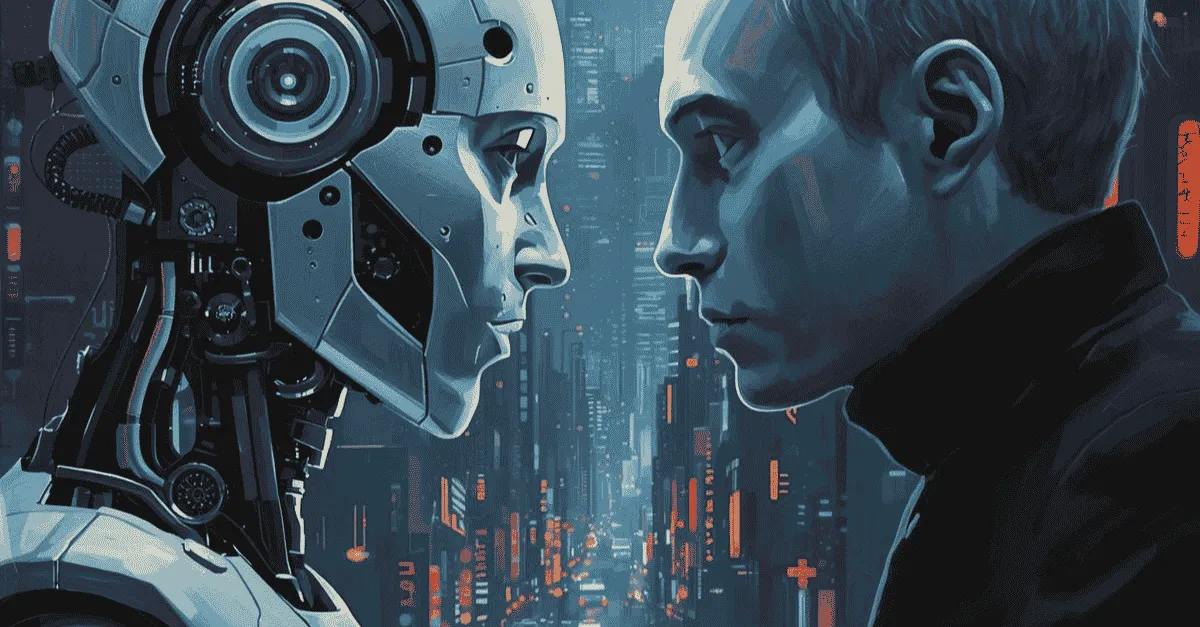
The "Hybrid" Editor is the future of course production, blending AI speed with essential human empathy for educational content. This approach delegates technical tasks like noise reduction to AI, freeing human experts for creative decisions on pacing, humor, and storytelling. By automating "grunt work," the hybrid model reduces costs by 40% and turnaround time by 60% while maintaining high student retention.
The "Hybrid" Editor: Why Your Course Needs Human + AI (2026 Guide)
What is hybrid AI video editing for online courses?
Hybrid AI Video Editing is a production methodology that combines AI automation for technical tasks (like silence removal, audio noise reduction, and transcription) with human expertise for creative tasks (pacing, storytelling, and visual metaphors).
This approach reduces production costs by roughly 40% and turnaround time by 60% while maintaining the emotional connection, empathy, and pedagogical structure that pure AI tools often miss.
Key Takeaways
-
Maximum Efficiency- Human-AI Blend: The most efficient workflow in 2026 is neither 100% Human nor 100% AI. It is Hybrid. Using AI for the 90% of technical labor (syncing, noise reduction) and Humans for the 10% of creative magic (storytelling, humor).
-
Pedagogy Over Processing: AI sees silence as "waste." Human editors understand that silence is "thinking time." A hybrid workflow ensures that instructional pauses are preserved so students have time to digest complex information.
-
"Potato Peeling" Analogy: Paying a human editor to manually cut out "umms" is like paying a Michelin chef to peel potatoes. Automating the rough cut frees up your budget to pay for high-value visual aids and animations that actually improve learning.
-
Context Blindness: Pure AI tools match visuals based on keywords (say "Apple," show fruit). Human editors match visuals based on meaning (say "Apple," show Isaac Newton). This level of detail is critical for educational content.
-
Future Agility: Hybrid workflows allow for rapid updates. Using AI voice cloning and human patching, you can update a single statistic in a course module without re-recording the entire lesson, keeping your curriculum "Evergreen."
The education market is currently divided into two warring camps.
On one side, you have the "Tech Evangelists" who claim that AI video editing for courses is the magic bullet. They upload raw footage to an automated tool, let the algorithm chop it up, and publish the result. They prioritize speed and low cost above all else.
On the other side, you have the "Purists." These are the instructional designers and premium course creators who fear that AI will turn their heartfelt curriculum into "robotic slop." They insist on paying human editors $100/hour to manually cut out every "um" and "ah," believing that only a human hand can craft a lesson.
Both sides are wrong.
Relying solely on AI creates a disjointed, "soulless" learning experience that drives refund rates up. But relying solely on manual human labor makes your course prohibitively expensive to produce and slow to update.
The future of education isn't AI or Humans. It is the Cyborg Editor.
This guide explores the concept of hybrid video editing, a workflow that leverages robots for speed and humans for empathy, and why it is the only viable solution for course creators who care about student retention.
This article builds on the principles laid out in our guide to Video Editing for Online Courses: Consistency is Curriculum.
Failures of "AI-Only" Editing ( Uncanny Valley)
Let’s start by addressing the elephant in the room: Why can’t we just let the AI do it all? Tools like Descript and OpusClip have incredible "Magic" buttons. Why not push them?
The problem is Context Blindness.
Silence is Not Always "Dead Air"
AI algorithms are trained to detect silence and remove it. To a machine, a pause is inefficiency.
But to a teacher, a pause is Pedagogy.
When you explain a complex concept (like a difficult coding framework or a nuanced leadership strategy) you naturally pause to let the student digest the information.
-
AI Editor: Identifies the 2-second pause as "waste" and cuts it.
-
Result: The video becomes a breathless stream of information. The student feels rushed/anxious and eventually tunes out because their brain has no time to encode the memory.
Over-Automation and the Loss of Trust
We have all seen the result of over-using AI features like "Eye Contact Correction." When an instructor stares unblinkingly into the lens for 45 minutes because an algorithm forced their pupils to center, it triggers the Uncanny Valley effect.
Instead of focusing on the lesson, the student is subconsciously thinking, "Something is wrong with their face."
When you rely strictly on instructional design technology that automates everything, you strip away the humanity. And in education, humanity, your empathy, your hesitation, your passion, is what builds trust.
Failures of "Human-Only" Editing (The Efficiency Trap)
If AI is too robotic, is the answer to go back to 100% manual editing?
No. That is financial suicide.
Waste of Talent
Imagine hiring a Michelin-star chef. Now, imagine forcing that chef to spend the first 6 hours of their shift peeling potatoes.
That is what you are doing when you pay a professional editor to manually sync audio and cut out "umms."
-
The Cost: If you are paying $60/hour, and the editor spends 4 hours on "grunt work" before they even start the creative edit, you have wasted $240.
-
The Burnout: Editors get bored. When a human spends hours doing repetitive tasks, their focus drifts. By the time they get to the important part (adding graphics and pacing) they are fatigued. This leads to mistakes.
Update Nightmare
Courses need to be living documents. If you have a human vs ai editing debate, consider the maintenance cost.
If you need to update one sentence in Lesson 3 because the software you teach has changed, a manual workflow requires finding the old project file, re-hiring the freelancer, and hoping they are available. It is slow and expensive, so most creators just leave their courses outdated.
Hybrid Solution: Best of Both Worlds
The solution is to separate the process into two distinct layers. We call this the Editing Machine Hybrid Model.
Layer 1: Machine (Speed & Efficiency)
We let the AI do what it is best at: Data Processing.
Upon ingestion, our systems automatically handle:
-
Transcription: Creating a searchable text map of the footage.
-
Audio Repair: Removing background hiss, air conditioner noise, and normalizing levels to -16 LUFS.
-
Rough Assembly: Stripping out the obvious "bad takes" and "dead air" (which the human then refines).
Time Saved: 90% of the initial manual labor.
Layer 2: The Human (Soul & Strategy)
We let the human editor do what they are best at: Emotional Intelligence.
Once the "Clean Cut" is ready, the human editor steps in to add:
-
Pacing Judgment: Deciding to keep a pause because it adds dramatic weight.
-
Visual Metaphors: Hearing you say "The architecture is crumbling" and choosing a B-roll clip of a cracking pillar, rather than just a literal building.
-
Humor: recognizing a joke and adding a subtle sound effect to make it land.
Value Added: 100% of the retention.
Instructional Design Audit: What AI Misses
To understand why descript vs human editor is the wrong comparison, we need to look at Instructional Design. A course is not just a video; it is a transfer of knowledge.
Pacing for Complexity
A human editor acts as the "First Student."
-
Scenario: You speed through a very difficult math equation.
-
AI Action: Keeps the speed constant.
-
Hybrid Action: The human editor realizes, "Whoa, that was fast." They add a freeze-frame, overlay a summary graphic, and leave it on screen for 5 seconds to let the viewer catch up.
This intuition, knowing when to slow down, is the difference between a student finishing the course or requesting a refund.
Pattern Interrupt
AI doesn't know when a student is getting bored. It doesn't have a boredom sensor.
A human editor feels the drag.
-
"The instructor has been talking for 4 minutes straight. I'm bored."
-
The Fix: The editor inserts a "Pattern Interrupt", switching to a full-screen graphic, a meme, or a screen share, to reset the student's optic nerve.
Visual Match vs. Meaning Match
AI selects visuals based on Keywords. Humans select based on Meaning.
-
Instructor Says: "We need to burn the boats."
-
AI Selects: A stock video of a literal boat on fire. (Confusing).
-
Human Selects: A graphic representing "Commitment" or "No Turning Back." (Educational).
Case Study: Hybrid Workflow in Action
Let’s look at exactly how this works inside our agency for a typical course module.
Step 1: Upload
The creator uploads a 20-minute raw Zoom recording. The audio is echoey, and there are three interruptions where the doorbell rings.
Step 2: AI "Paper Edit"
Our system ingests the file.
-
Audio: "Dialogue Isolate" runs instantly, stripping the echo.
-
Script: A transcript is generated.
-
Cuts: The AI highlights the "doorbell" sections based on waveform spikes and cuts them.
Step 3: Human Review
The Lead Editor opens the project. The timeline is already clean. They don't have to listen to the doorbell rings. They start immediately at the "Creative" phase.
Step 4: "Magic" Pass
The editor notices the instructor makes a great point at minute 5:00.
-
They add a "Slow Zoom" to emphasize importance.
-
They create a Lower Third graphic summarizing the point.
-
They add subtle background music that swells during the inspirational conclusion.
Step 5: Delivery
The final video feels handcrafted, emotional, and polished.
Total Turnaround: 12 Hours.
(A purely manual process would have taken 48 hours).
Cost Comparison: Human vs. AI vs. Hybrid
When you are looking for the best video editor for online courses, you are ultimately balancing the "Iron Triangle" of Speed, Cost, and Quality.
Metric | Pure Human (Freelancer) | Pure AI (Automated Tool) | Hybrid (Editing Machine) |
Cost Per Hour | High ($50-$100) | Low ($15-$30/mo) | Optimized ($3.70 per credit) |
Turnaround | 3-5 Days | Instant (Minutes) | 12-24 Hours |
Emotional IQ | High | Zero | High |
Accuracy | High | Medium (Hallucinations) | High (QC'd) |
Retention Impact | Excellent | Poor (Robotic) | Excellent |
The Verdict: Hybrid offers the retention rates of a Human editor at a speed and price point that is scalable for a business.
For more on video editing speed and turnaround times, read our guide:Fast Turnaround Video Editing: The 12-Hour Advantage
Future-Proofing Your Curriculum
There is one final reason to adopt a Hybrid workflow: Agility.
In 2026, information becomes obsolete quickly.
If you built your course using a Hybrid workflow, updating it is simple.
-
The Scenario: You need to change "Twitter" to "X" in Lesson 4.
-
The Hybrid Fix: We use AI Voice Cloning to generate the single word "X" in your voice. The human editor patches it into the audio track, adjusts the lip-sync slightly, and updates the subtitles.
-
The Result: The course is updated in 10 minutes, without you turning on a camera.
The "Personalization" Frontier
We are also entering the era of personalized course intros.
Imagine a student named "Sarah" buys your course.
Using Hybrid workflows, we can generate a personalized intro: "Hey Sarah, welcome to the course!"
The AI handles the lip-sync and voice generation; the human ensures the lighting match and rendering are perfect. This level of personalization drastically increases course completion rates.
In Conclusion
We must stop viewing AI as the enemy of creativity. It is the savior of creativity. Taking the "drudgery" out of video editing using AI allows human editors to function at their highest level.
-
Don't let the robot teach the class. (Students hate it).
-
Don't let the human sweep the floor. (It costs too much).
Build a Cyborg.
Your students deserve a course that respects their time (clean, fast editing) and respects their humanity (emotional, paced storytelling). Only the Hybrid model delivers both.
Ready to upgrade your curriculum?
Get the speed of AI with the safety of a Human Pilot. Create your Editing Machine account and start using your free credits today.
Frequently Asked Questions (FAQ)
Q: Can I edit my online course using only AI?
A: You can, but it is not recommended for high-ticket courses ($500+). While AI tools (like Descript, OpusClip, or Munch) can remove silence and add captions, they lack instructional design awareness. They often remove necessary "thinking pauses," select irrelevant B-roll, and miss emotional cues, leading to a disjointed learning experience that lowers student retention.
Q: What is the best video editing software for course creators?
A: The best software depends on your workflow. For Hybrid Editing, Adobe Premiere Pro (integrated with AI plugins) or DaVinci Resolve are industry standards used by professional teams. For "Prosumers" editing themselves, Descript offers a good balance of text-based editing (AI) and manual control, provided a human reviews the final output to fix pacing issues.
Q: How does hybrid editing save money?
A: Hybrid editing saves money by automating the "Grunt Work" (transcription, file organization, syncing, and rough cutting), which typically consumes 50-60% of a manual editor's billable hours. By letting AI handle this "Potato Peeling" phase, you only pay the human editor for high-value creative work, reducing the total cost per lesson while increasing the output volume.
Q: Will students notice if I use AI tools in my course videos?
A: If used correctly (Hybrid), no. They will only notice that the audio is crisp and the pacing is snappy. However, if you use "Lazy AI" (like fake AI avatars, robotic text-to-speech voiceovers, or un-checked AI silence removal), students will notice immediately. This often leads to a loss of trust and higher refund requests.
More from the Blog

Video Content Repurposing: The 10x Multiplier Framework
Most content creators treat repurposing as something they do when they have time, which means they almost never do it. The 10x Multiplier Framework treats it as the default production model: every recording session is planned with repurposing built in from the start, and every edited asset points toward the next format. This guide covers the full framework and the specific formats each recording type should produce.

Shopify Product Video: The Editing Checklist That Lowers Bounce Rate
Adding a video to your Shopify product page is not the same as adding a video that lowers bounce rate and increases conversion. Most product videos on Shopify are too long, start too slowly, and are not optimized for silent autoplay on mobile. This editing checklist covers every decision that separates a product video that converts from one that gets scrolled past.

Dedicated Video Editor Service: When a Subscription Beats a Full-Time Hire
Most businesses that are considering hiring a full-time video editor have not run the real numbers. When you include benefits, equipment, software licenses, desk space, and management overhead, a full-time junior editor in the US costs $65,000 to $80,000 per year in total. This guide runs the full cost comparison and identifies the output threshold at which a subscription service wins on economics.
See if Editing Machine is the right fit for your content.
Take 90 seconds to tell us about your goals, content style, and volume. We'll show you which setup fits and exactly where to start.