Vlog Editing Services: Storytelling vs. Montages
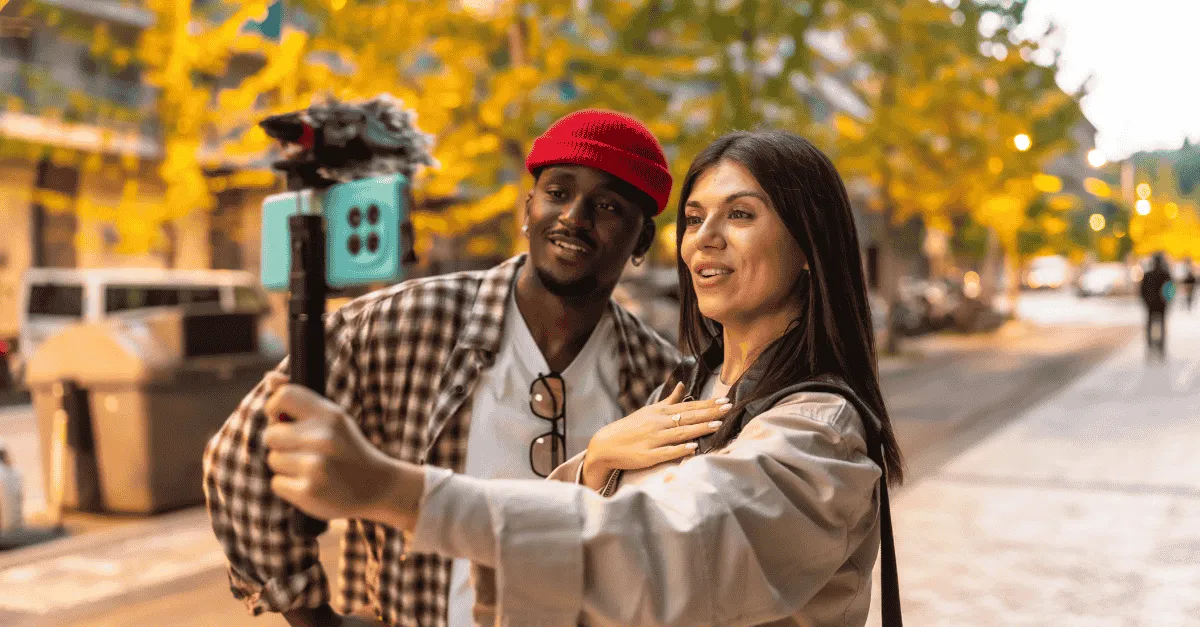
Vlog editing services must prioritize the "Story Arc" to maintain audience retention over 10+ minute durations. A montage is a screensaver that is pretty but empty; a vlog is a documentary with characters, conflict, and resolution. To grow your channel, stop making music videos and start being a documentarian who focuses on finding the story in the raw footage.
Vlog Editing Services: Storytelling vs. Montages
What is the difference between a vlog and a montage?
A Montage is a sequence of video clips set to music, focusing primarily on aesthetic and mood (Visuals > Narrative). A Vlog is a story-driven format that uses "A-Roll" (talking to the camera) to establish a context, conflict, and resolution (Narrative > Visuals).
While montages are effective for 15-second intros or social media teasers, Successful vlog editing services must prioritize the "Story Arc" to maintain audience retention over 10+ minute durations.
You just got back from the trip of a lifetime.
You spent two weeks in Bali, or maybe you just wrapped up a critical week launching your startup in San Francisco. You have hundreds of gigabytes of stunning 4K footage: drone shots of rice terraces, slow-motion clips of coffee pouring, and timelapse shots of the city skyline.
You hire an editor, excited to share your journey with your audience.
Three days later, they send back the draft.
It opens with a beat drop. It features incredible transitions. The colors pop. It looks like a high-budget Nike commercial or a Justin Bieber music video.
And it is completely unwatchable.
Why? Because after 60 seconds of pretty shots set to tropical house music, the viewer gets bored. They don't know who you are, where you are going, or why they should care.
In a crowded industry, vlog editing services are often misunderstood. Many creators (and bad editors) confuse "Vlogging" with "Montages."
-
A Montage is a screensaver. It is pretty, but empty.
-
A Vlog is a documentary. It has characters, conflict, and resolution.
If your channel is stuck at a plateau, it isn't because your life isn't interesting. It's because your videos lack Story. To grow a personal brand or a "Build in Public" channel, you don't need a music video editor; you need a storytelling partner.
This article is a deep dive into the narrative layer of our Scaling Video Production series.
The "Montage Trap" (Why Pretty Videos Fail)
There is a misconception in the creator economy that "Cinematic" equals "Good."
We call this the Casey Neistat Misconception.
Creators look at legends like Casey Neistat or Sam Kolder and think, "I just need cooler drone shots and faster transitions."
They miss the point entirely.
Casey Neistat didn't get 12 million subscribers because of his drone shots. He got them because he spent 80% of the vlog talking directly to the camera, explaining the struggle of his day. The drone shots were just the seasoning; the story was the steak.
Avoid the "Screensaver" Effect
When you rely on montage vs story, you play a dangerous game with audience retention.
Without dialogue or context, the human brain treats video like wallpaper. It is visually pleasing, but it requires no cognitive engagement.
-
Montage Retention: High for 45 seconds, then crashes to 0%.
-
Story Retention: Fluctuates but holds steady for 10-20 minutes because the viewer wants to know "what happens next."
If your daily vlog workflow consists of shooting B-roll all day and never talking to the lens, you are making screensavers, not content.
Anatomy of a Narrative Vlog (What We Edit For)
So, what does a professional youtube vlog editor actually do?
They don't just sync clips to the beat. They structure the footage into a Three-Act Structure.
At Editing Machine, our editors are trained to look for these four specific narrative beats in your raw footage.
1.Hook (The Question)
Every good vlog starts with a question or a problem.
-
Bad Hook (Montage): A slow-motion shot of you waking up and drinking coffee. (Boring. Everyone drinks coffee).
-
Good Hook (Story): You running through an airport terminal, shouting at the camera: _"It is 8:00 AM and I forgot my passport. If I miss this flight, I lose the client."
_The Edit: We find the moment of highest tension and move it to 0:00.
2. Context (The Setup)
Once the hook grabs attention, we need to slow down and explain the stakes.
This is usually "A-Roll" (you sitting in a car or a hotel room, talking to the lens).
- _"Okay, here is the deal. I’m in Tokyo to meet an investor..."
_Without this context, the B-roll of Tokyo streets means nothing. It’s just stock footage. With context, it becomes the setting of the mission.
3. The Obstacle (The Conflict)
A story without conflict is just a diary entry.
Storytelling in vlogs requires friction.
-
Did it rain?
-
Did the audio gear break?
-
Did the meeting go badly?
The Edit: A bad editor cuts out the blurry footage where you dropped the camera. A good editor keeps it in because it shows the struggle. Imperfection builds trust.
4. Payoff (The Resolution)
The video must end with an answer to the question posed in the hook.
-
"We made the flight."
-
"We got the deal."
-
"I didn't get the deal, but I learned this..."
Technical Challenge: Handling 100GB of Footage
Narrative vlogging presents a massive logistical hurdle: File Size.
A "Talking Head" video might be 2GB of raw footage.
A "Travel Vlog" shot on a Sony A7SIII in 4K might be 100GB to 200GB of raw footage for a single episode.
The Competitor Fail
This is where most "Unlimited Editing" services break down.
-
They often have upload limits (e.g., "Max 5GB per project").
-
They rely on Google Drive, which is notoriously slow for syncing large video files.
-
Their editors work on laptops that cannot handle multi-cam 4K timelines without crashing.
The Editing Machine Solution
We built our infrastructure specifically for high-volume, high-bitrate creators.
-
Smart Cloud Storage: Our plans come with dedicated, high-speed storage.
-
LITE Plan: 50 GB (Good for simple daily updates).
-
PLUS Plan: 150 GB (Ideal for weekly travel vlogs).
-
PRO Plan: 500 GB (For daily 4K shooters).
-
-
The Proxy Workflow: When you upload 4K files, our server automatically generates "Proxies" (low-res editing copies). Our editors cut using the proxies for speed, but the final export links back to your original 4K master files. This ensures you get cinema quality without the lag.
Music Selection: The Emotional Score
In travel vlog editing, music is often abused.
Amateur editors slap a loud "Tropical House" track over everything because it feels energetic.
But constant energy is exhausting.
Vibe vs. Story
Our editors select music based on the Emotional Arc, not just the BPM.
-
Struggle: When you are lost in a foreign city, we might use a dissonant, low-fi track, or even silence, to emphasize the stress.
-
Triumph: When you finally reach the mountain peak, that is when the orchestral swell kicks in.
Using the "Silence" Tool
The most powerful tool in a vlog editor's kit is Silence.
If you are delivering bad news to your audience (e.g., "The startup failed"), adding sad piano music feels manipulative and cheesy.
Cutting the music completely, leaving only the sound of your voice and the room tone, creates a raw, "Documentary Style" intimacy that forces the viewer to lean in.
Licensing Safety
Nothing kills a vlog faster than a Copyright Strike.
You cannot use Drake. You cannot use Taylor Swift.
Editing Machine subscriptions include full commercial licensing for libraries like Epidemic Sound and Artlist. We handle the licensing on the backend so your channel remains monetized and safe.
How to Film for Your Editor (The Handoff)
To get documentary style editing, you need to give us the right ingredients. You cannot just dump 500 random clips on us and hope for a miracle.
Here is the optimal daily vlog workflow for working with a remote editor.
The "Log" Approach
Before you upload the footage, record a 60-second voice note (or a "Selfie Video") specifically for the editor.
- _"Hey team, the story of this vlog is that I tried to find the best pizza in NYC but got rained out. The climax is when I finally find the shop at 9 PM. Focus on the rain shots to build the misery."
_This simple instruction saves 5 hours of guessing.
The "Clap" Sync
If you are recording external audio (like a lav mic), look at the camera lens and Clap Your Hands loudly once before you start talking.
This gives the editor a visual spike on the waveform, allowing them to sync your good audio with your video instantly.
Folder Structure
Don't upload a flat list of 200 files. Create a simple folder tree (as detailed in our Video Editing SOP):
-
01_A_Roll_Talking (Your main story clips).
-
02_B_Roll_City (The pretty shots).
-
03_B_Roll_Food (The details).
This helps the editor find the right "overlay" quickly without scrubbing through hours of footage.
Pricing: Why Vlogs Cost More (The "PLUS" Plan)
We are transparent about our pricing because we want you to understand the value of the labor involved.
A 10-minute "Talking Head" video takes about 4 hours to edit.
A 10-minute "Vlog" can take 12 to 15 hours to edit.
Why?
-
Watch Time: The editor has to watch 2 hours of raw footage just to find the 10 minutes of gold.
-
Decision Fatigue: In a script, the edit is obvious. In a vlog, the editor has to decide the story.
Plan Recommendation:
-
LITE ($297/mo): This plan includes 80 Credits. It is great for simple "Sit Down" vlogs or office updates where the footage ratio is low (1:1).
-
PLUS ($497/mo): This includes 150 Credits. This is the minimum recommended plan for travel or lifestyle vloggers. The extra credits account for the "Narrative Assembly" time and the complex sound design required to make a vlog feel cinematic.
-
PRO ($997/mo): Recommended for daily vloggers who need 24-hour turnaround on massive 4K files.
You aren't just paying for "cuts." You are paying for a human being to watch your life, understand your emotion, and craft it into a format that strangers will care about.
Learn more about these video editing pricing plans
Case Study: The "Build in Public" Founder
Let’s look at a real-world example of how storytelling in vlogs changes the metrics.
Client:
A SaaS Founder vlogging the journey of building his app to $10k MRR.
The Before:
He was uploading "Montages." Clips of him typing code, drinking coffee, and walking his dog, set to Lo-Fi beats.
-
Views: 200 per video.
-
Comments: "Nice setup."
The After (Storytelling):
We switched the format. We asked him to sit down at the end of the day and talk about one specific problem.
-
Vlog Title: "The bug that almost deleted our database."
-
The Edit: We used the B-roll of him coding not as a "cool montage," but as the visual backdrop to his stressful narration about the database error. We added suspenseful music. We cut to black when the server crashed.
-
Views: 15,000 organic views.
-
Comments: "I've been there! This is so stressful but inspiring."
Difference:
The footage was the same. The edit created the tension.
In Conclusion
Your life is interesting. Your business is interesting.
But raw footage is not a story.
Marble is not a statue until a sculptor chips away the excess.
If you want to build a personal brand that connects deeply with an audience, stop making music videos. Stop trying to be an "Influencer" with pretty transitions.
Start being a Documentarian.
Don't let your best memories die in a hard drive folder because you don't have the time to edit them.
Stop making montages. Start telling stories.
Create your account with Editing Machine. Upload your raw day, and let us find the story hidden inside.
Frequently Asked Questions (FAQ)
Q: How much does professional vlog editing cost?
A: Vlog editing services typically range from $100 to $400 per video when hiring freelancers, depending heavily on the amount of raw footage provided. Services like Editing Machine offer subscription plans (e.g., the PLUS Plan at $497/mo) which are significantly more cost-effective for creators posting weekly. This model brings the per-video cost down while ensuring you have a dedicated editor who understands your narrative style.
Q: How do I send large video files to my editor?
A: To send 50GB+ of raw 4K footage, you should avoid standard Google Drive links, which are often slow and prone to timeout errors. Use Editing Machine's built-in Smart Cloud Storage (included in PRO plans), which utilizes high-speed acceleration protocols to handle massive daily uploads without compression.
Q: What is the best camera for vlogging?
A: While cameras like the Sony ZV-E10, Sony A7SIII, or DJI Osmo Pocket 3 are industry favorites for their autofocus and low-light performance, the "best" camera is simply one that shoots at 4K and has reliable audio inputs. However, a skilled youtube vlog editor can make even iPhone 16 Pro footage look cinematic through professional color grading and sound design. Content and story always matter more than gear.
Q: Can you edit a vlog if I didn't script it?
A: Yes. This is called "Unscripted Narrative Editing." However, it requires a higher level of skill (and usually more credits/time). The editor must watch all your raw footage to "find the story" themselves. To get the best result, we recommend including a short "Audio Note" explaining what happened that day so the editor knows the intended focus of the episode.
More from the Blog

Video Content Repurposing: The 10x Multiplier Framework
Most content creators treat repurposing as something they do when they have time, which means they almost never do it. The 10x Multiplier Framework treats it as the default production model: every recording session is planned with repurposing built in from the start, and every edited asset points toward the next format. This guide covers the full framework and the specific formats each recording type should produce.

Shopify Product Video: The Editing Checklist That Lowers Bounce Rate
Adding a video to your Shopify product page is not the same as adding a video that lowers bounce rate and increases conversion. Most product videos on Shopify are too long, start too slowly, and are not optimized for silent autoplay on mobile. This editing checklist covers every decision that separates a product video that converts from one that gets scrolled past.

Dedicated Video Editor Service: When a Subscription Beats a Full-Time Hire
Most businesses that are considering hiring a full-time video editor have not run the real numbers. When you include benefits, equipment, software licenses, desk space, and management overhead, a full-time junior editor in the US costs $65,000 to $80,000 per year in total. This guide runs the full cost comparison and identifies the output threshold at which a subscription service wins on economics.
See if Editing Machine is the right fit for your content.
Take 90 seconds to tell us about your goals, content style, and volume. We'll show you which setup fits and exactly where to start.