YouTube Video Editor for Retention: Beyond "Just Cuts"
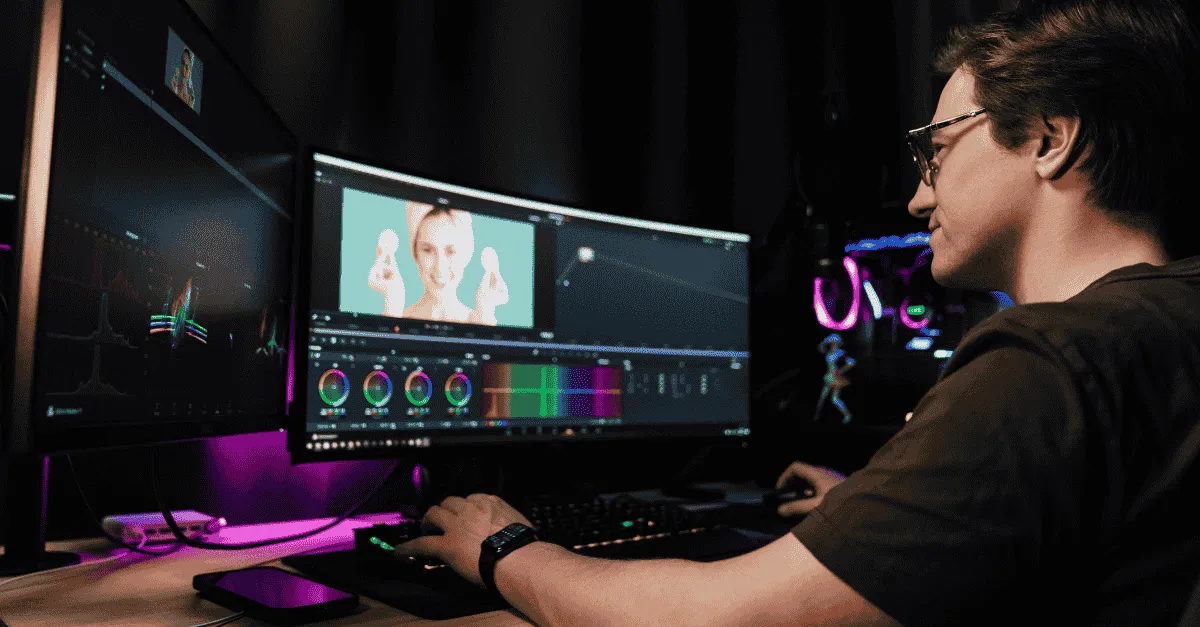
Real YouTube video editing is a psychological task focused on "Dopamine Management," not merely removing mistakes or syncing audio. A Retention Engineer uses "Pattern Interrupts", visual changes every 3–7 seconds, to reset the viewer's attention and significantly boost Average View Duration (AVD). Since YouTube's algorithm prioritizes Watch Time, this strategy is the single highest-leverage activity for channel growth.
YouTube Video Editor for Retention: Beyond "Just Cuts"
What makes a video editor good for retention?
Insight: A YouTube video editor for retention does not just trim footage; they engineer Pattern Interrupts.
Your Strategy: Changing the visual state of the video every 3–7 seconds (via B-roll, digital zooms, text overlays, or sound effects), the editor resets the viewer's "boredom clock." This technique significantly increases Average View Duration (AVD), which is the primary metric the YouTube algorithm uses to recommend content.
YouTube’s algorithm cares about one metric above all others: Watch Time.
You can have the best thumbnail in the world (High Click-Through Rate), but if the viewer clicks and then leaves after 45 seconds, YouTube effectively "downvotes" your video. The algorithm assumes your content is clickbait or low quality, and it stops showing it to new people.
This is the plight of the modern creator. You write a great script. You have great camera presence. You deliver value.
Yet, your analytics show a "Hockey Stick" drop-off: 50% of your audience is gone by the 1-minute mark.
Diagnosis: You hired a "Cutter," not an "Editor."
In 2026, finding a youtube video editor for retention is the single highest-leverage activity for a channel's growth. Editing is no longer about removing mistakes or syncing audio (AI can do that).
Real editing is about Dopamine Management.
If you want to scale your channel (as discussed in our previous guide on Scaling Video Production), you must stop viewing editing as a technical task and start viewing it as a psychological one. This article explores the mechanics of retention and how to engineer your videos to keep viewers glued to the screen.
"Cutter" vs. The "Retention Engineer"
To solve your retention problem, you first have to understand who is currently editing your videos. Most creators are unknowingly employing "Cutters."
Cutter (The Commodity)
A Cutter is someone you hire on a freelance marketplace for $50.
Their workflow is mechanical:
-
They watch the footage.
-
They cut out the silence.
-
They cut out the "umms" and "ahhs."
-
They add a basic color grade.
-
They export.
The resulting video is "clean." It is professional. But it is boring.
A Cutter believes their job is to remove the bad parts.
Retention Engineer (The Asset)
A Retention Engineer (what we train our staff to be at Editing Machine) has a completely different philosophy.
They believe their job is to add the good parts.
They watch a 20-second clip of you talking and ask: "Why is this scene 20 seconds long? The human brain gets bored after 7 seconds."
-
The Skill: Knowing when to cut away from the speaker to a relevant visual metaphor.
-
The Skill: Knowing when to hold a silence for comedic effect, rather than cutting it.
-
The Skill: Knowing how to use sound design to subconsciously signal "something new is coming."
The Value Gap:
A Cutter saves you time. A Retention Engineer makes you money.
If a Retention Engineer increases your Average View Duration (AVD) from 30% to 60%, your AdSense revenue and lead generation don't just double: they often 10x because the algorithm starts promoting you exponentially.
Psychology of the "Dopamine Loop"
To understand video editing psychology, we have to look at the brain.
The human brain is an efficiency machine. It is constantly scanning the environment for "Novelty."
If the environment (your video) remains static/unchanged for too long, the brain assumes it has extracted all the value and signals the thumb to scroll.
The "7-Second Rule"
In the TikTok era, attention spans have shortened.
The "7-Second Rule" states that the visual state of the video must change roughly every 7 seconds to reset the optic nerve.
If you are a talking head, and you stay a talking head for 15 seconds without a zoom, a text pop, or a B-roll overlay, you are fighting biology. You will lose.
"Open Loop"
A great editor uses Open Loops to increase audience retention.
An Open Loop is a psychological gap: a question that has been raised but not answered.
-
Scripting: "I'm going to tell you the secret... but first..." (The editor keeps this in).
-
Visual Editing: Showing a blurry image of a document while you talk about it, only revealing the clear text 10 seconds later.
The viewer cannot click away because their brain creates a "craving" for closure. A Cutter removes these moments to "save time." An Editor protects them to "save the viewer."
3 Mechanics of High Retention (The Tactical "How")
So, how do we actually execute this? What does a Retention Engineer do in Adobe Premiere Pro that a Cutter doesn't?
Here are the three pillars of a youtube editing strategy.
1. The Pattern Interrupt
This is the most common and effective technique.
A Pattern Interrupt is a sudden change in the sensory input that forces the viewer to pay attention.
-
Digital Zoom (Punch-In): Cutting from a wide shot to a close-up on a specific sentence. It creates intensity.
-
B-Roll Overlay: You say "It felt like a marathon." The editor cuts to a stock clip of a runner. (Visual Association).
-
Text Pop: You list three items. The editor makes them appear on screen: 1... 2... 3...
The Goal: Reset the "Boredom Clock." Every time the pattern breaks, the viewer's subconscious timer resets to zero.
2. Sound Design (The Invisible Hook)
Most creators obsess over video quality (4K cameras) but ignore audio.
You watch with your eyes, but you feel with your ears.
Bad sound design makes a video feel slow and sluggish.
-
Whooshes: Used when a graphic flies in. It gives the graphic "weight."
-
Risers: A sound that slowly gets higher in pitch (screeching violin) leading up to a reveal. It builds tension.
-
Hits: A bass drop or drum hit when you make a crucial point.
If you watch a video without sound and it looks fine, but feels boring, it lacks Sound Design. Sound is the invisible string that pulls the viewer through the timeline.
3. Kinetic Typography
This is the practice of having text move on screen in time with the voice.
This is not just "Subtitles." This is Dual Coding.
-
Theory: When a viewer hears the word "Money" and sees the word "Money" flash on screen in green at the exact same millisecond, the information is encoded in two parts of the brain simultaneously.
-
Retention: This increases comprehension and retention. The viewer feels like they are learning faster, which releases dopamine.
How to Avoid the "MrBeast" Fallacy (A Warning)
A word of caution.
When creators ask for video pacing tips, they often point to MrBeast (Jimmy Donaldson) and say: "Edit it like that!"
Do not do this.
Unless you are making entertainment content for 12-year-olds, editing like MrBeast will destroy your retention with adult professionals.
-
MrBeast Style: Cut every 0.5 seconds. Screaming. Explosions. Hyper-stimulation.
-
B2B/Educational Style: Clarity. Flow. Breathing room.
The Balance
If you are a financial advisor or a SaaS founder, you want Authority, not a seizure.
A Retention Engineer knows the difference.
-
Entertainment: Edits to prevent boredom.
-
Education: Edits to prevent confusion.
Sometimes, the best retention tactic is to put a complex diagram on screen and leave it there for 10 seconds so the viewer can study it. A "MrBeast Editor" would cut away too fast, frustrating the viewer.
How to Audit Your Current Editor
Do you have a Cutter or an Engineer? Here is the test.
-
Go to YouTube Studio.
-
Click Content > Select a Video.
-
Click Analytics > Engagement.
-
Look at the Audience Retention Graph.
The Dip Test:
Look for sharp drops (valleys) in the graph. Click on the timestamp where the drop starts.
Watch the video at that exact moment.
-
Did the visual remain static for more than 10 seconds?
-
Did you take a long pause to think, and the editor left it in?
-
Did you switch topics without a transition graphic (Chapter Card)?
If you see these errors, your editor is a Cutter. They are passively assembling footage, not actively managing attention.
Use this data to give them "Negative Constraints" (as discussed in Stop Editing Your Own Videos), or look for a new partner.
Editing Machine’s Approach: The "Hybrid" Advantage
At Editing Machine, we believe in the Hybrid Model because it is the only way to achieve retention at scale.
Hybrid Workflow:
-
AI Layer: We use AI tools to handle the "Cutter" work. Silence removal, audio sync, and basic color correction happen instantly.
-
Human Layer: This frees up our human editors to spend 100% of their time on Retention Engineering.
Because our editors aren't spending 2 hours cutting out "umms," they have 2 hours to find the perfect B-roll clip, design a custom Lower Third, or time a sound effect perfectly to your joke.
The Investment:
This level of detailed visual storytelling requires time.
That is why our PLUS Plan ($497/mo / 150 Credits) is the recommended entry point for serious YouTubers.
-
LITE ($297): Great for simple cuts and clips.
-
PLUS ($497): Gives the editor the budget (credits) to apply advanced motion graphics, sound design, and pattern interrupts to ~8 long-form videos a month.
You aren't just paying for an edit; you are paying for the AVD boost.
Learn more about Editing Machine pricing plans here.
In Conclusion
In the "Attention Economy," the editor is the most important person on your payroll.
You can have the best ideas in the world, but if your delivery is boring, you are speaking to an empty room.
Stop paying for hours. Stop paying for "cuts."
Start paying for Attention.
The difference between a channel that flatlines and a channel that gets a Gold Play Button is often just the density of pattern interrupts.
Want to turn 30% retention into 60%?
Create your account with Editing Machine. Send us your raw footage, and let our Retention Engineers turn it into a high-performing asset.
Frequently Asked Questions (FAQ)
Q: How often should I use pattern interrupts in a YouTube video?
A: For high-paced entertainment content, pattern interrupts should occur every 3 to 5 seconds. However, for educational, B2B, or "Talking Head" content, a visual change every 7 to 10 seconds is the sweet spot. This can be as subtle as a slow digital zoom, a lower third, or a B-roll overlay. This frequency maintains engagement (resetting the optic nerve) without exhausting the viewer or making the video feel "childish."
Q: Does video editing really affect YouTube SEO?
A: Yes, indirectly but powerfully. While editing doesn't change your keywords, YouTube's algorithm prioritizes Average View Duration (AVD) and Click-Through Rate (CTR) above all else. High-quality editing (pacing, pattern interrupts) directly increases AVD. When AVD goes up, YouTube's algorithm signals that the content is valuable and serves it to more people in the "Recommended" feed, effectively boosting your SEO.
Q: What is a J-Cut in video editing?
A: A J-Cut is a professional transition technique where the audio of the next scene begins before the video of the current scene ends. (On a timeline, the audio clip looks like the letter J). This creates a subconscious "bridge" for the viewer, smoothing the transition and keeping them engaged by signaling that new information is coming before they even see it. It is a staple of visual storytelling that reduces the feeling of "choppiness."
More from the Blog

Video Content Repurposing: The 10x Multiplier Framework
Most content creators treat repurposing as something they do when they have time, which means they almost never do it. The 10x Multiplier Framework treats it as the default production model: every recording session is planned with repurposing built in from the start, and every edited asset points toward the next format. This guide covers the full framework and the specific formats each recording type should produce.

Shopify Product Video: The Editing Checklist That Lowers Bounce Rate
Adding a video to your Shopify product page is not the same as adding a video that lowers bounce rate and increases conversion. Most product videos on Shopify are too long, start too slowly, and are not optimized for silent autoplay on mobile. This editing checklist covers every decision that separates a product video that converts from one that gets scrolled past.

Dedicated Video Editor Service: When a Subscription Beats a Full-Time Hire
Most businesses that are considering hiring a full-time video editor have not run the real numbers. When you include benefits, equipment, software licenses, desk space, and management overhead, a full-time junior editor in the US costs $65,000 to $80,000 per year in total. This guide runs the full cost comparison and identifies the output threshold at which a subscription service wins on economics.
See if Editing Machine is the right fit for your content.
Take 90 seconds to tell us about your goals, content style, and volume. We'll show you which setup fits and exactly where to start.