How to Create a Video Editing SOP for Your Team (Free Template)
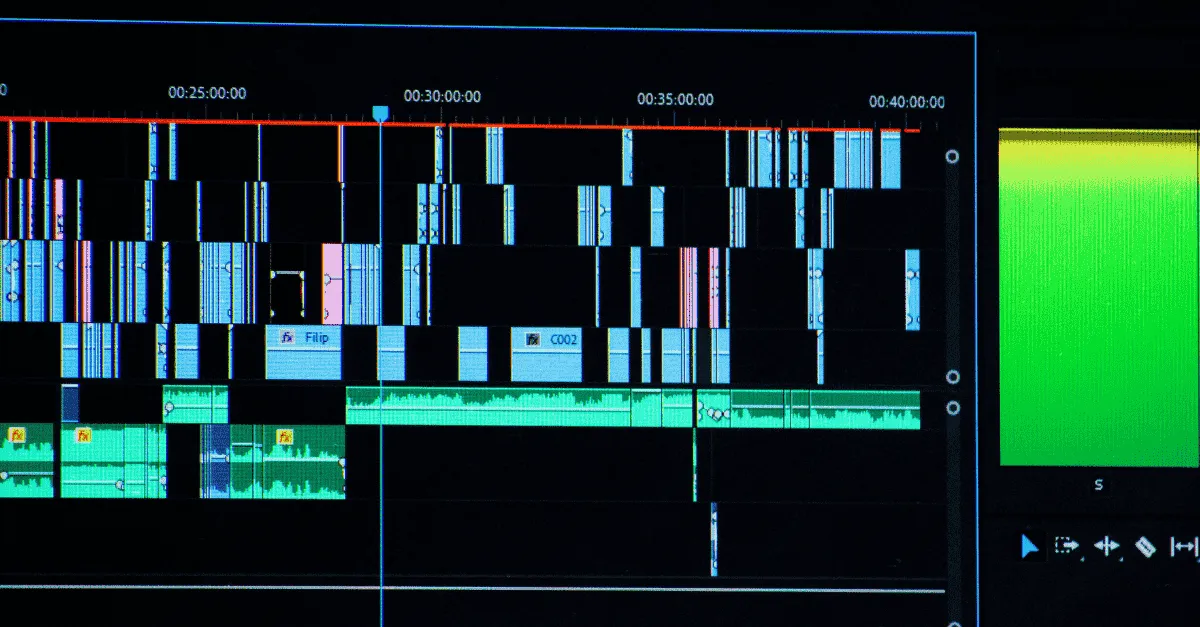
Stop blaming your editors for messy, inconsistent drafts; blame your bad process. A Video Editing SOP (Standard Operating Procedure) provides the rigid system necessary to scale your team and ensure brand consistency. By defining standards for file naming, audio levels, and quality control, an SOP eliminates "Cognitive Drag" and frees your creative talent.
How to Create a Video Editing SOP for Your Team (Free Template)
What should be included in a video editing SOP?
Checklist: A professional Video Editing SOP must include:
-
Technical Specs: Defined resolution (1080p/4K), frame rate (24/30/60fps), and export codecs.
-
File Management: Strict naming conventions (YYYY-MM-DD_Client_Project) and standardized folder structures.
-
Workflow Steps: A clear sequence: Ingestion , Rough Cut , Audio Mix ,Color Grade ,Final QC.
-
Brand Standards: Approved font families, logo placement rules, and "Safe Zones" for platform-specific captions.
-
Review Protocol: The exact method for submitting drafts and interpreting feedback.
Key Takeaways
-
SOPs Enable Scale: You cannot scale a video team beyond one person without a written SOP. It acts as the "Instruction Manual" that allows different editors to produce work that looks and feels identical (Brand Consistency).
-
Folder Structure is King: The #1 cause of project failure is lost files. Enforcing a rigid Folder Template (01_Footage, 02_Audio, etc.) ensures that any editor can take over any project at any time without asking "Where is the logo?"
-
The "Bus Factor": A standardized workflow protects your business. If your lead editor vanishes, a standardized project file means a freelancer can step in and finish the job immediately.
-
Technical Constraints: Your SOP must define the "Invisible" specs: Audio levels (-12db), Frame Rates (24fps), and Bitrates. These are the details that separate amateur edits from professional broadcasts.
-
The Self-QC Loop: Shift the burden of Quality Control to the editor. Requiring a signed Self-Checklist (confirming no flash frames, correct naming, etc.) before submission reduces the number of revision rounds by 50%.
You hire a new video editor. Their portfolio is incredible.
They have edited for big YouTubers. Their reel is flashy. You are excited to finally offload your content production.
But three days later, they send you a draft.
The file is named Final_Video_v2_TEST.mp4. The font is almost your brand font, but not quite. The music is so loud you can’t hear the voiceover. And when you ask for the project file to fix it, you open it up to find a chaotic mess of unnamed layers and red "Missing Media" errors.
You don't have a "bad editor." You have a bad process.
Talent is abundant. Consistency is rare.
The difference between a freelancer who drives you crazy and a scalable agency is a Video Editing SOP (Standard Operating Procedure).
If you want to scale your video agency or internal media team beyond one person, you cannot rely on "verbal instructions." You need a Code of Conduct. You need an Instruction Manual.
This guide provides the exact post-production workflow template we use at Editing Machine to manage 5,000+ videos a year. You can copy it, paste it, and use it to bring order to your creative chaos.
This operational guide is the backbone of our Hybrid Workflow system.
Why "Creative" Work Needs "Rigid" Systems
There is a pervasive myth in the creative industry: "SOPs kill creativity."
Designers and editors often resist structure, claiming it stifles their art.
The Truth: SOPs do not kill creativity; they kill Cognitive Drag.
Every time an editor has to wonder, "Where do I save this file?" or "What bitrate should I export at?", they are burning mental energy.
By automating the "Boring Stuff" (Setup, File Management, Exporting) via a rigid standard operating procedure for video, you free up 100% of their brain power for the actual creative edit:pacing, storytelling, and emotion.
Scalability Argument
You can manage one editor with Slack messages.
You cannot manage five editors with Slack messages.
Without a written SOP, every new hire requires you to repeat the same training 50 times. With an SOP, you train them once.
The "Bus Factor"
Imagine your Lead Editor gets hit by a bus tomorrow (or just goes on a 2-week vacation).
If they organize files in their own unique way, that project is dead. No one else can open it and understand it.
A standardized SOP ensures that Editor B can open Editor A's project and instantly know where the assets are.
Phase 1: File Management & Ingestion (Foundation)
If the files are messy, the edit will be messy. This is the non-negotiable foundation of your video editing guidelines.
The "Golden Standard" Folder Structure
Do not let editors create their own folders. Force them to download a "Template Folder" for every new project. It should look exactly like this:
-
00_PROJECT_ROOT
-
01_Footage
-
Camera_A
-
Camera_B
-
Screen_Recordings
-
-
02_Audio
-
Music
-
SFX
-
Voiceover
-
-
03_Assets
-
Logos
-
Fonts
-
Brand_Images
-
-
04_Project_Files (Premiere/DaVinci files go here)
-
05_Exports
-
Drafts
-
Final_Master
-
-
Naming Conventions (Logic of Time)
Files must be sortable. We use the YYYY-MM-DD format because it sorts chronologically by default on every computer system.
-
Bad: ClientVideo.mp4
-
Good: 2026-03-12_ClientName_ProjectName_v1.mp4
The Rule: If I search for the client's name on the server 6 months from now, I must be able to identify exactly what the file is without opening it.
Proxy Workflow
If you are shooting in 4K, require your team to create Proxies (low-resolution copies) immediately upon ingestion.
- Why: Editing 4K raw footage lags computers. Proxies ensure the timeline is buttery smooth, speeding up the edit by 50%.
Phase 2: TEditing Protocol (The "Meat")
This section of the SOP dictates the "Quality Standards" of the edit itself.
Audio Standards (The Invisible Metric)
Bad audio is the #1 reason videos fail. Set hard limits in your SOP.
-
Dialogue: Must hit between -6db and -12db. (Never peak at 0db).
-
Background Music: Must sit between -18db and -24db.
-
Ducking: "Music must automatically dip by -5db when the speaker starts talking."
Pacing Guidelines
To avoid the "Slow YouTube Video" syndrome, give a specific pacing rule.
-
The "0.5 Second" Rule: "There should be no silence or dead air longer than 0.5 seconds unless it is a deliberate dramatic pause."
-
J-Cuts: "Audio from the next scene must start 4 frames before the visual cut." (This creates seamless flow).
B-Roll Ratios
For talking head videos (educational/corporate):
-
Rule: "Every 5-10 seconds of talking head footage must be interrupted by a relevant B-roll clip, text overlay, or camera angle change (crop)."
-
Why: This resets the viewer's attention span.
Phase 3: Brand Asset "Safe Zone"
This phase protects your brand identity from "Creative Interpretation."
Visual Identity
-
Logos: Provide a link to the Master Asset Drive. "Only use logos from this folder. Never download a logo from Google Images."
-
Fonts: "Our primary font is Montserrat Bold. Our secondary font is Open Sans. No other fonts are permitted."
Caption Styles
-
Color: "Highlight keywords in our Brand Yellow (#FFD700). All other text is White (#FFFFFF)."
-
Stroke: "Add a Black Drop Shadow (Op: 75%, Dist: 4) to ensure readability on bright backgrounds."
Platform Constraints (Safe Zones)
Your SOP must include a diagram of "Safe Zones" for TikTok, Reels, and YouTube Shorts.
-
The Rule: "No text or essential graphics can be placed in the bottom 20% (caption area) or the right 15% (UI buttons) of the frame."
-
Why: If the "Like" button covers the caption, the user cannot read it.
Phase 4: QC & Review Loop (Quality Control)
How does the editor say "I'm done"?
The Self-Check (The Gatekeeper)
Before an editor is allowed to upload a draft, they must perform a Self-QC Checklist:
-
[ ] Did you watch the full export from start to finish?
-
[ ] Are there any "Flash Frames" (black screens)?
-
[ ] Is the music licensed?
-
[ ] Is the file name correct?
The Policy: If a manager finds a mistake that was on the checklist (e.g., a black frame), the editor receives a formal warning. This forces accountability.
The Platform (Editing Machine)
Do not use Email or Slack for feedback. It creates "Version Hell."
- The Protocol: "Upload all drafts to Editing Machine. Review comments must be marked as 'Resolved' inside Editing Machine before uploading V2."
[Your Free Template] Copy-Paste Video Editing SOP Template
(Copy the text below into a Google Doc or Notion Page to create your SOP immediately).
[AGENCY NAME] Video Editing Standard Operating Procedure
1. PROJECT SETUP
-
Download the "Template Folder Structure" from the server.
-
Rename the root folder: YYYY-MM-DD_ProjectName.
-
Ingest footage. Create Proxies for 4K files immediately.
-
Import the "Brand Assets" bin (Logos, Outro, SFX) into Premiere/DaVinci.
2. EDITING GUIDELINES
-
Audio:
-
Dialogue: -6db to -12db.
-
Music: -20db (Duck under voice).
-
Apply De-Noise and De-Reverb to all dialogue tracks.
-
-
Visuals:
-
Color Grade: Apply the "[Agency_Standard_LUT]" at 60% opacity.
-
Safe Zones: Ensure all text is within the "Social Safe Zone" overlay.
-
Captions: Use [FONT NAME], Size [X], Color [HEX].
-
3. EXPORT SETTINGS
-
Format: H.264 (MP4).
-
Bitrate:
-
1080p: 12-15 Mbps (CBR).
-
4K: 35-40 Mbps (CBR).
-
-
Audio: AAC, 320kbps, 48kHz.
4. HANDOFF
-
Watch the exported file fully.
-
Upload to Editing Machine
-
Notify Project Manager in Slack: "@PM [Project Name] Ready for QC."
Where to Host Your SOP (Notion vs. Google Docs)
A video editing SOP should not be a static PDF that gets lost in an email chain. It needs to be a "Living Document."
Why Notion Wins
We recommend hosting your SOP in Notion.
-
Embedded Video: You can embed 10-second GIFs showing exactly how to do a "Whip Pan Transition" right next to the text instruction.
-
Checkboxes: You can create clickable checklists for every project.
-
Searchable: It acts as an internal Wiki.
Loom Integration
For every major section of your SOP, record a 60-second Loom video of you (or your Lead Editor) performing the task.
Some editors are visual learners. Seeing you organize the folders is more effective than reading about it.
Implementation: How to Get Your Team to Actually Use It
Writing the SOP is easy. Getting humans to follow it is hard.
Checklist Rule
Make the SOP unavoidable.
When an editor submits a video, require them to attach a screenshot of their timeline or a checked-off list confirming they followed the naming convention.
"No Checklist, No Review."
Onboarding Sprint
When you hire a new editor, their first day should not be spent editing client work.
Day 1 Task: "Read the SOP. Watch the Loom videos. Download the Test Footage. Edit a dummy video following the SOP exactly."
If they fail to follow the folder structure on the dummy project, you catch it before it ruins a client project.
For an example of a specific workflow, read our guide: Repurposing Zoom Calls: Turn 1 Hour into 1 Month of Content
In Conclusion
Chaos is a choice. Order is a system.
If you are constantly frustrated by your editors, stop blaming them. Blame your lack of documentation.
A clear video file naming convention and a rigid workflow are the hallmarks of a professional agency. They turn "Talent" into "Output."
Don't want to build this infrastructure yourself?
Create your Editing Machine Account. We come with the SOPs, the Folder Structures, and the Quality Control pre-installed. You just upload the footage; we handle the system.
Frequently Asked Questions (FAQ)
Q: What is a video editing workflow?
A: A video editing workflow is the standardized sequence of steps taken from raw footage to final delivery. It typically includes: Ingestion (organizing files/proxies), Assembly (rough cut), Fine Cut (pacing/b-roll), Sound Design, Color Grading, and Exporting. Having a defined workflow prevents missed steps and ensures consistency.
Q: How do you organize video files for a team?
A: Use a Server-Based or Cloud-Based folder structure. Create a master "Template Folder" that includes subfolders for: 01_Footage, 02_Audio, 03_Graphics, 04_Projects, and 05_Exports. Every new project should start by copying this template, ensuring that every editor on the team stores assets in the exact same location.
Q: What is the best software for video SOPs?
A: Notion is widely considered the best tool for Video SOPs because it supports embedded video players and GIFs. This allows you to visually demonstrate complex editing techniques (like specific transitions or color grading steps) directly alongside the text instructions, which is crucial for visual learners.
Q: Why do I need a naming convention?
A: Naming conventions (like YYYY-MM-DD_Client_Project_v1) are critical for version control and searchability. Without them, you will eventually have dozens of files named "Final.mp4" or "NewProject.prproj," making it impossible to find specific assets or know which file is the actual approved master.
More from the Blog

Video Content Repurposing: The 10x Multiplier Framework
Most content creators treat repurposing as something they do when they have time, which means they almost never do it. The 10x Multiplier Framework treats it as the default production model: every recording session is planned with repurposing built in from the start, and every edited asset points toward the next format. This guide covers the full framework and the specific formats each recording type should produce.

Shopify Product Video: The Editing Checklist That Lowers Bounce Rate
Adding a video to your Shopify product page is not the same as adding a video that lowers bounce rate and increases conversion. Most product videos on Shopify are too long, start too slowly, and are not optimized for silent autoplay on mobile. This editing checklist covers every decision that separates a product video that converts from one that gets scrolled past.

Dedicated Video Editor Service: When a Subscription Beats a Full-Time Hire
Most businesses that are considering hiring a full-time video editor have not run the real numbers. When you include benefits, equipment, software licenses, desk space, and management overhead, a full-time junior editor in the US costs $65,000 to $80,000 per year in total. This guide runs the full cost comparison and identifies the output threshold at which a subscription service wins on economics.
See if Editing Machine is the right fit for your content.
Take 90 seconds to tell us about your goals, content style, and volume. We'll show you which setup fits and exactly where to start.