The "No-Burnout" Content Workflow for High-Ticket Coaches
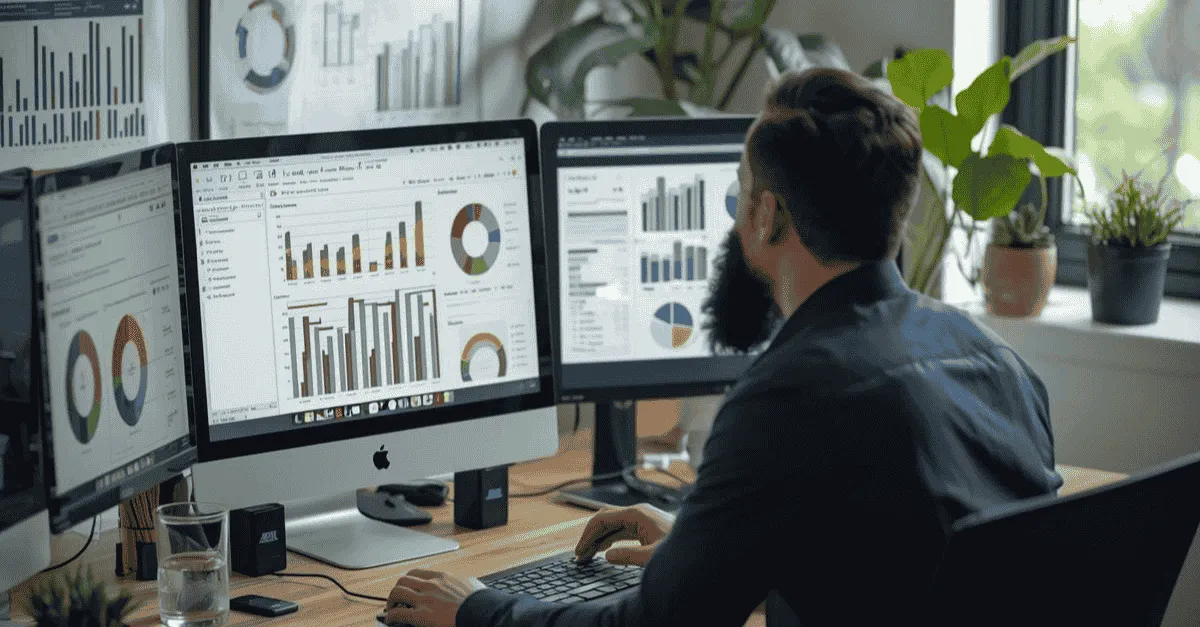
High-ticket coaches often burn out trying to maintain a daily social media presence, costing them valuable billable time. The "No-Burnout" Content Workflow is a content repurposing system designed to eliminate this stress by turning one hour of recording into 30 days of content. This system allows experts to create an "Omnipresent" daily brand while spending less than two hours per week on actual content creation.
The "No-Burnout" Content Workflow for High-Ticket Coaches
What is the best content workflow for coaches?
The "No-Burnout" workflow is a content repurposing system designed for high-ticket consultants. It operates on a specific ratio: 1 Hour of Recording = 30 Days of Content.
Instead of filming daily trends, the coach records one "Anchor Asset" (such as a video podcast or deep-dive webinar) per week. A specialized post-production team then slices this asset into 20+ pieces of micro-content (Reels, LinkedIn text posts, Newsletters, YouTube Shorts).
This method allows experts to maintain an "Omnipresent" daily brand on platforms like LinkedIn and Instagram while spending less than 2 hours per week on actual content creation, eliminating the "content treadmill" burnout.
Key Takeaways
-
The 1:30 Ratio: The "No-Burnout" workflow relies on a specific efficiency metric: 1 Hour of Recording = 30 Days of Content. By recording one "Anchor Asset" (like a video podcast) per week, you generate enough raw material for daily omnipresence.
-
Stop the DIY Madness: If your consulting rate is $500/hour, spending 5 hours editing Reels costs you $2,500 in billable time. You are the most expensive, least efficient editor in your business.
-
The "Anchor Asset" Strategy: Stop trying to film 7 different TikToks a week. Focus on creating one high-authority long-form video (20+ mins), and use a Waterfall System to slice it into micro-clips, text posts, and newsletters.
-
The "Generalist VA" Trap: High-ticket clients buy status and trust. trusting a $10/hr generalist virtual assistant to edit your video often results in poor audio and pacing, which subconsciously signals "Low Authority" to premium prospects.
-
Negative Constraints: To automate quality control without micromanaging, give your editing team a "Negative Constraints" document (e.g., "Do NOT use meme sounds"). It is easier for editors to follow a "Don't Do" list than to guess your creative preference.
You didn't become a coach to become a professional YouTuber.
You became a coach because you have a specific expertise. Whether it’s executive leadership, financial consulting, or health optimization that transforms lives. You built your business on results, client referrals, and deep work.
But in 2026, the market has shifted.
The "Referral Well" is drying up. The algorithm has become the new gatekeeper of credibility. If a potential client Googles your name and finds a dormant LinkedIn profile or an Instagram feed that hasn't been updated since 2023, they unconsciously discount your authority.
The "Invisibility Tax" is real.
So, you try to play the game. You try to film a TikTok between client calls. You stay up until 11:00 PM trying to figure out how to add captions in CapCut. You stress over finding "trending audio."
And you burn out.
You are trading your $500/hour consulting time for $20/hour editing work.
This is not a discipline problem; it is a systems problem.
The most successful personal brands in the world (from Alex Hormozi to Mel Robbins) do not spend their days editing videos. They spend their days speaking. They have built a machine that captures their genius once and distributes it everywhere.
This guide is the blueprint for that machine. It is the "No-Burnout" Content Workflow designed specifically for high-ticket coaches who need to dominate their niche without becoming a slave to the algorithm.
Chapter 1: The Math of Content (Why DIY is Costing You Millions)
Before we build the system, we must address the mindset. Many coaches struggle with outsourcing because they view it as a "Cost."
"Why should I pay $500 a month for editing when I can do it myself for free?"
This is a fundamental misunderstanding of Opportunity Cost.
The Hourly Rate Audit
Let’s do the math on your "Free" editing.
If you are a High-Ticket Coach selling a $5,000 package or consulting at $500/hour:
-
Your Value: $500/hour.
-
Editing Time: It typically takes a non-professional 2 hours to edit a high-quality Reel (finding b-roll, syncing audio, captioning).
-
The Cost: That single Reel didn't cost you $0. It cost you $1,000 in billable time.
If you produce 5 Reels a week yourself, you are burning $20,000 a month in opportunity cost. You are the most expensive video editor in the world.
The "Generalist VA" Trap
Once coaches realize they shouldn't edit, they often make the second mistake: Hiring a Generalist Virtual Assistant (VA) for $10/hour.
"My VA creates my graphics; she can do the videos too."
The Problem: Video conveys Subconscious Authority.
-
Bad Audio: If your video has an echo or background hiss, the viewer subconsciously perceives you as "Low Status."
-
Bad Pacing: If the edit drags, the viewer scrolls.
-
Bad Captions: If the captions are misspelled or off-brand, you look unprofessional.
A Generalist VA is not an audio engineer. They are not storytellers. When you put low-quality video into the market, you are actively damaging the premium brand you spent years building. You cannot sell a $10,000 coaching package with a video that looks like it was made on a potato.
The Goal: Operator vs. Talent
Your goal is to move from being the Operator (the person turning the knobs) to the Talent (the person delivering the value).
-
Talent: Records the insight.
-
System: Edits, packages, distributes.
When you separate these roles, you unlock scale.
Chapter 2: The "Anchor Asset" Strategy (The Source)
The core failure of most content strategies is "Creation Fatigue."
Trying to come up with 7 different ideas for 7 different Reels every week is exhausting. It requires you to "switch modes" constantly.
The "No-Burnout" workflow relies on a single source of truth: The Anchor Asset.
What is an Anchor Asset?
An Anchor Asset is a long-form piece of video content (20–60 minutes) where you explore a topic in depth. It is the "Parent" from which all "Children" (micro-content) are born.
The 3 Best Formats for Coaches
You do not need a studio or a script. You just need to speak.
1. The Video Podcast (Interview)
-
The Setup: You interviewing a peer or industry expert on Zoom/Riverside.
-
The Benefit: You borrow their authority. Plus, the conversation flows naturally, so you don't need to "perform."
-
The Output: 45 minutes of content where you look like a thought leader.
2. The "Monday Rant" (Solo)
-
The Setup: You, a camera (or webcam), and one burning topic.
-
The Prompt: Pick a common objection you heard on a sales call this week. (e.g., "Why 'Hustle Culture' is destroying your marriage.")
-
The Benefit: This is high-authority content. It shows you have a strong opinion. High-ticket clients buy opinions, not information.
3. The "Client Call" (The Fly on the Wall)
-
The Setup: Record a coaching session with a client (with their explicit permission and NDA clearance).
-
The Benefit: This is the ultimate "Show, Don't Tell." It proves you can actually solve problems.
-
The Edit: You cut out the sensitive details and just keep the moments where you give advice.
The "One-Take" Rule
Do not stop. Do not restart. Do not worry about "umms" or pauses.
Your job is to get the raw ore out of the ground.
The Editor's job is to refine that ore into gold.
If you stumble, just pause, take a breath, and say the sentence again. The editor will cut the mistake. This removes the pressure of perfection.
Chapter 3: The "Waterfall" Repurposing Model
Once you have your Anchor Asset (let's say a 30-minute video on "Leadership Mistakes"), you upload it.
This is where you stop working, and the Waterfall System begins.
We call it a waterfall because the content flows down from the source, changing form as it goes.
Tier 1: The YouTube Long-Form (The Search Asset)
-
Format: 16:9 Horizontal.
-
Destination: YouTube, Website Blog, Podcast Feed.
-
The Edit:
-
The Hook: The editor takes the most shocking sentence from minute 14 and moves it to the very start (0:00) to grab attention.
-
The B-Roll: Stock footage or graphs are added to illustrate points.
-
The Audio: Background noise is removed, and your voice is EQ’d to sound like "NPR Quality."
-
-
The Value: This asset lives forever. It is searchable. It warms up leads who are researching you.
Learn more on this topic: YouTube Video Editor for Retention: Beyond "Just Cuts"
Tier 2: The Vertical Clips (The Discovery Assets)
-
Format: 9:16 Vertical.
-
Destination: Instagram Reels, TikTok, YouTube Shorts, LinkedIn Video.
-
The Process:
-
The Assistant Editor watches the 30-minute video.
-
They identify 3-5 "Golden Nuggets" (standalone points that make sense in 60 seconds).
-
The Polish:
-
Dynamic Captions: Colored keywords that pop up in sync with your voice (Karaoke style). This is crucial for retention.
-
Crop & Zoom: The editor uses "Pan and Scan" to keep your face centered even though the original video was horizontal.
-
The Loop: The end is cut to flow seamlessly back into the start.
-
-
-
The Value: These assets go viral. They bring new eyeballs into your funnel.
Tier 3: The Text Assets (The Authority Assets)
-
Format: Text + Image.
-
Destination: LinkedIn, X (Twitter), Threads.
-
The Process:
-
We run the transcript through an LLM (Large Language Model) trained on your voice.
-
Prompt: "Turn this transcript section into a contrarian LinkedIn post. Use short sentences. Focus on the pain point."
-
A human copywriter reviews it and adds a selfie or a screenshot from the video.
-
-
The Value: LinkedIn text posts currently have the highest organic reach for B2B.
Tier 4: The Newsletter (The Nurture Asset)
-
Format: Email.
-
Destination: Your Email List.
-
The Process: Summarize the key takeaways of the video. Include a link to watch the full YouTube video (driving traffic).
-
The Value: You nurture your existing leads without writing a new email from scratch.
The Result: One 30-minute recording session has generated:
-
1 YouTube Video
-
1 Podcast Episode
-
5 Reels / TikToks
-
3 LinkedIn Text Posts
-
1 Newsletter
That is a full week of content from 30 minutes of work.
Chapter 4: Systematizing the Handoff (The "No-Touch" Transfer)
The system fails if the handoff is messy.
If you have to spend 20 minutes downloading files, renaming them, and emailing them, you will eventually stop doing it. Friction kills consistency.
We recommend a "No-Touch" Transfer Protocol.
1. The Auto-Upload Setup
-
For Zoom/Riverside: Configure your settings to record to the Cloud.
-
For Phone: Use the Dropbox or Google Drive app with "Camera Upload" enabled for a specific folder.
-
The Goal: As soon as you hit "Stop Recording," the file should automatically begin moving to the Editor.
2. The Folder Structure (Standardized)
Do not create new folders every time. Have a recurring structure.
01_INPUT > Year > Month > Week_X
Inside Week_X, simply drop the raw file.
-
Naming Convention: YYYY-MM-DD_TopicName_Raw.mp4
-
Example: 2026-03-12_LeadershipMistakes_Raw.mp4
3. The "Negative Constraint" Brief
Most coaches struggle to brief editors because they don't know technical jargon. They try to say "Make it pop."
Instead, use a "Negative Constraint" Standing Order.
This is a document you write once and give to your editing team. It lists what you hate.
-
"Do NOT use slang or Gen-Z meme sounds."
-
"Do NOT use jump cuts that are too aggressive."
-
"Do NOT use the color red in captions (it's not my brand)."
It is easier for an editor to avoid mistakes than to guess your preferences. Once this document is set, you rarely need to brief individual videos. You just upload and forget.
Chapter 5: Platform Specifics for Consultants
A common mistake in repurposing is "One Size Fits All."
Posting a TikTok-style video directly to LinkedIn can sometimes backfire if not adjusted.
Your editing team (or Hybrid Pod) needs to understand the psychology of where the video is being watched.
1. LinkedIn Video (The Boardroom)
-
Audience: Corporate, professional, viewing at work.
-
The Nuance:
-
80% watch on mute. Captions are not optional; they are the primary way the content is consumed.
-
Aspect Ratio: 4:5 (Square/Portrait) often performs better than full 9:16 because it takes up more vertical real estate in the desktop feed without looking like a "mobile" video.
-
Tone: The edit should be cleaner. Less "glitch" effects, more "documentary" feel.
-
2. Instagram Reels (The Living Room)
-
Audience: Visual, scrolling fast, building relationships.
-
The Nuance:
-
The "Face" Factor: High-resolution face-to-camera builds trust (parasocial relationships).
-
The Cover Image: The "Grid" matters. You need a designated "Profile Cover" that looks aesthetic, not just a random blurry frame from the video.
-
Trending Audio: Mixing your voice with a low-volume trending track can help reach.
-
3. YouTube Shorts (The Slot Machine)
-
Audience: Dopamine seeking, younger skew (but aging up).
-
The Nuance:
-
Pacing: Needs to be 20% faster than LinkedIn. Dead air is death.
-
The Loop: The video must loop perfectly to trigger multiple views per user.
-
The "Smart Hybrid" Approach:
A good editing system doesn't just export one file. It exports Variations.
-
Video_A_LinkedIn_Clean.mp4
-
Video_A_TikTok_Trending.mp4
Chapter 6: The Hybrid Advantage for Coaches
You have three options to execute this workflow.
-
DIY: (We already established this costs you $20k/mo in time).
-
Freelancer: (Unreliable, single point of failure).
-
Hybrid System: (The 2026 Standard).
Why "Hybrid" Wins for High-Ticket
The Hybrid model (like Editing Machine) combines AI Speed with Human Polish.
The AI Role (Speed):
-
Instantly transcribes your 45-minute rant.
-
Instantly identifies the "Viral Hooks" based on data analysis.
-
Instantly cuts out the "umms" and silence.
The Human Role (Authority):
-
The Storyteller: A human editor decides which clip actually makes sense for your business (AI often picks funny clips, not money-making clips).
-
The Brand Guardian: A human ensures your face looks good (color grading) and your voice sounds commanding (audio engineering).
The Pod Benefit:
When you hire a Fractional Team (Pod), you get a Project Manager.
This is critical for coaches. You do not want to manage an editor. You do not want to explain timestamps.
You want to upload a file and see a "Scheduled" notification 24 hours later.
The Project Manager acts as your firewall, ensuring quality control before you ever see the draft.
Chapter 7: Case Study: The $50k/Month Consultant
Let’s look at a real-world implementation of this system.
The Client:
"Sarah," a Leadership Consultant for Tech Startups.
The Struggle:
Sarah was stuck at $20k/month. She relied entirely on referrals. She posted on LinkedIn once a month ("Just check-in!"). She was stressed because her pipeline was empty if she wasn't actively networking.
The "No-Burnout" Implementation:
-
The Commitment: Sarah blocked off Thursdays from 9:00 AM to 10:00 AM as "Studio Time."
-
The Input: She recorded one 20-minute video answering a specific question from her clients (e.g., "How to fire a co-founder").
-
The System: She uploaded the raw file to the Editing Machine Portal.
-
The Output: By Monday morning, she had:
-
1 Full Video for her Newsletter/YouTube.
-
5 Short Clips for LinkedIn (Mon-Fri).
-
2 Text Posts derived from the transcript.
-
The Result (90 Days Later):
-
Omnipresence: Her network started seeing her face every single day.
-
The "Celebrity Effect": When she got on sales calls, prospects said, "I feel like I already know you. I’ve been watching your clips all week."
-
The Revenue: She closed two $15k consulting retainers in Month 3 that came directly from "Inbound" (people sliding into her DMs).
-
Total Time Spent: Still just 1 hour per week.
She didn't work harder. She just added a Leverage Layer to her business.
More reading on this topic: Fast Turnaround Video Editing: The 12-Hour Advantage
Conclusion: Reclaiming Your Freedom
Content creation shouldn't feel like a second job. It shouldn't be the thing you dread on Sunday night.
For a High-Ticket Coach, content should be the natural byproduct of your expertise.
You have the knowledge. You have the voice. You have the face.
The only thing missing is the logistics.
-
Stop trying to be the Editor. Be the Talent.
-
Build the Waterfall.
-
Turn 1 hour into 30 days.
Ready to install this workflow in your business?
You record. We handle the rest.
Create an account with Editing Machine and let us build your Content Waterfall this week.
Frequently Asked Questions (FAQ)
Q: How often should high-ticket coaches post on social media?
A: High-ticket coaches should aim for daily presence (5-7 times a week) on their primary platform (usually LinkedIn or Instagram) to remain "Top of Mind." However, this does not mean recording daily. Using a repurposing workflow, you can generate this volume from just one weekly recording session, ensuring consistency without burnout.
Q: What is the best video format for selling coaching?
A: The "Face-to-Camera" educational video is the highest converter. Unlike "trending audio" or dancing videos, speaking directly to your audience's pain points builds the Authority and Trust required to sell high-ticket packages ($5k+). Viewers need to see your eyes and hear your voice to trust you with their business.
Q: Can I use AI to edit my coaching videos?
A: Pure AI tools (like OpusClip) are good for identifying clips, but often fail on pacing and brand polish. They might cut a sentence halfway through or miss the context of a complex business idea. For high-ticket brands, a Hybrid Model (AI for rough cuts + Human for storytelling) ensures the quality matches your premium pricing.
Q: Do I need a professional studio to record Anchor Assets?
A: No. In 2026, authenticity wins. A modern iPhone (filming in 4K) or a decent webcam (like an Opal or Insta360 Link) with good lighting (facing a window) is sufficient. The Audio Quality matters more than the visual. Invest in a decent USB microphone (like a Shure MV7), and your editor can make the video look professional.
Q: How long does it take to set up a Content Waterfall?
A: With a partner like Editing Machine, setup takes less than 48 hours. We ingest your Brand Kit (logos, fonts), set up your "Negative Constraints," and create your portal access. You can upload your first video on Day 3 and have a full month of content by Day 5.
More from the Blog

Video Content Repurposing: The 10x Multiplier Framework
Most content creators treat repurposing as something they do when they have time, which means they almost never do it. The 10x Multiplier Framework treats it as the default production model: every recording session is planned with repurposing built in from the start, and every edited asset points toward the next format. This guide covers the full framework and the specific formats each recording type should produce.

Shopify Product Video: The Editing Checklist That Lowers Bounce Rate
Adding a video to your Shopify product page is not the same as adding a video that lowers bounce rate and increases conversion. Most product videos on Shopify are too long, start too slowly, and are not optimized for silent autoplay on mobile. This editing checklist covers every decision that separates a product video that converts from one that gets scrolled past.

Dedicated Video Editor Service: When a Subscription Beats a Full-Time Hire
Most businesses that are considering hiring a full-time video editor have not run the real numbers. When you include benefits, equipment, software licenses, desk space, and management overhead, a full-time junior editor in the US costs $65,000 to $80,000 per year in total. This guide runs the full cost comparison and identifies the output threshold at which a subscription service wins on economics.
See if Editing Machine is the right fit for your content.
Take 90 seconds to tell us about your goals, content style, and volume. We'll show you which setup fits and exactly where to start.