An Expert's Guide to Outsourcing Video Editing in 2026
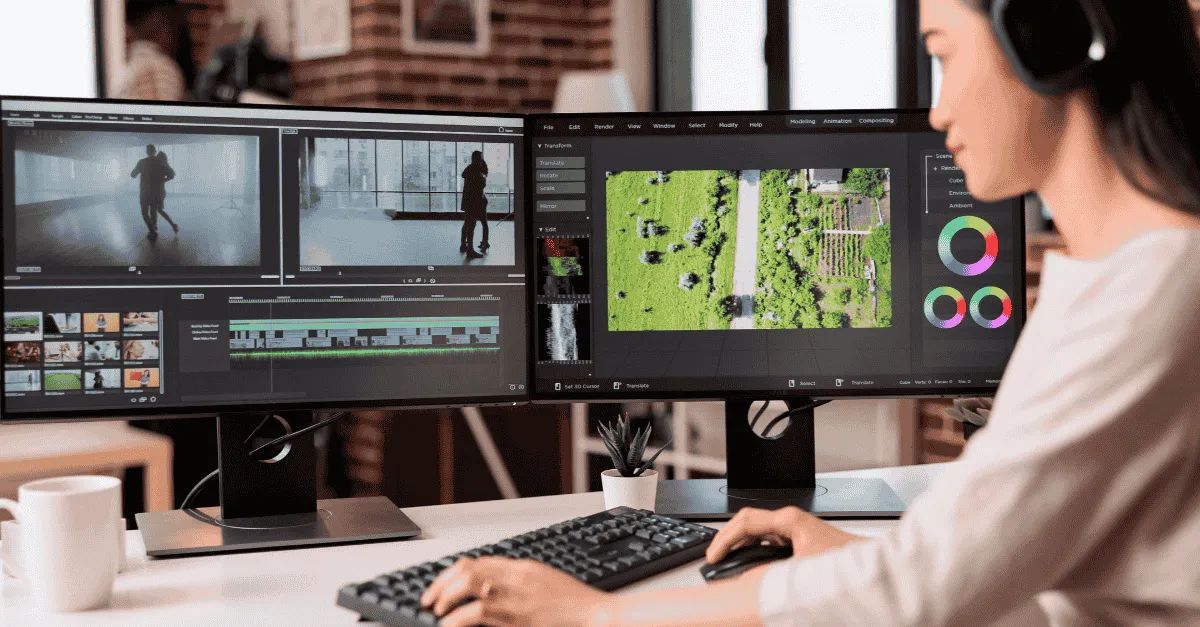
The old way of outsourcing video editing is broken in 2026. The most efficient approach has shifted to the Hybrid Workflow, which combines AI automation and expert human editors. This new model is superior because it delivers higher quality and better reliability than traditional freelancers or unlimited agencies. Investing in this system allows brands to scale their content output without bottlenecks.
An Expert's Guide to Outsourcing Video Editing in 2026
What is the best way to outsource video editing?
Outsourcing video editing effectively requires choosing between three models: Freelancers (flexible but inconsistent), Unlimited Agencies (fast but generic), or Hybrid Platforms.
Key Takeaways
-
The "Hybrid" Advantage: In 2026, the most efficient outsourcing model is Hybrid (AI Automation + Human Creativity), which delivers higher quality than "factory" agencies and better reliability than freelancers.
-
Speed is the New Standard: Through automating technical grunt work (syncing, audio cleanup), hybrid platforms achieve 12-24 hour turnaround times, compared to the traditional 48-72 hour industry average.
-
Hire Systems, Not People: To scale without bottlenecks, brands must move from hiring individual "dedicated editors" to renting "Fractional Pods" (Lead + Assistant + Manager) to ensure redundancy.
-
The True Cost of Management: Be mindful of the significant management time required. Even highly specialized services can demand 5-10 hours of your personal attention weekly, a substantial commitment that must be factored into the overall return on investment (ROI) calculation.
You have terabytes of raw footage sitting on your hard drive and zero time to edit it.
It’s the silent killer of content strategies in 2026. You film the content, you have the ideas, but the "Post-Production Bottleneck" stops you from hitting publish.
You’ve likely tried the traditional routes to fix this. You hired a freelancer on Upwork, but they ghosted you right before a launch. You tried a "cheap" unlimited editing agency, but the videos came back looking like they were churned out of a factory: generic stock footage, bad pacing, and zero brand alignment.
The old way of outsourcing is broken.
In 2026, outsource video editing isn't just about handing off files and hoping for the best. It’s about building a Content Engine.
This guide covers the shift to the Hybrid Workflow, a new model that blends AI automation for speed with expert human editors for creativity, and how you can use it to scale without burnout.
The 3 Models of Outsourcing (Pros & Cons)
When you decide to outsource, you aren't just buying "editing"; you are buying a workflow. There are three distinct models available today, and choosing the wrong one is the #1 reason brands fail to scale.
1. The Freelancer (Upwork / Fiverr / Direct Hire)
This is the "person-dependent" model. You hire an individual editor.
-
The Pro: You get a direct line of communication. If you find a "unicorn," the quality can be high and the style unique.
-
The Con: Single Point of Failure. If they get sick, take a vacation, or get overwhelmed by another client, your production stops. Inconsistency is the norm, and management overhead is high.
2. The "Unlimited" Agency (The Factory Model)
This is the model popularized by companies like Video Husky. You pay a flat fee for "unlimited" requests.
-
The Pro: Predictable costs. You know exactly what the invoice will be.
-
The Con: The Queue Trap. "Unlimited" usually means "one video at a time." If you need 10 clips for a campaign, you have to wait for Video 1 to finish before they start Video 2. Furthermore, the "factory" approach often leads to generic edits that lack narrative nuance.
3. The Hybrid Platform (The Editing Machine Model)
This is the "System-dependent" model. It combines AI Automation (for non-creative tasks) with Human Expertise.
-
The Pro: Scale & Speed. AI handles audio sync, silence removal, and captioning instantly. This allows the human editor to spend 100% of their time on pacing, humor, and storytelling.
-
The Con: It requires you to adopt a platform-based workflow (uploading to a portal) rather than texting an editor on WhatsApp.
Comparison: Which Model Wins?
Feature | Freelancer | Unlimited Agency | Hybrid Platform |
Reliability | Low (Ghosting risk) | Medium (Queue delays) | High (Systems-based) |
Turnaround | 2-4 Days | 24-48 Hours | 12-24 Hours |
Creativity | High (If lucky) | Low (Template feel) | High (Human focus) |
Scalability | Impossible | Difficult (Capped output) | Seamless |
The True Cost of Outsourcing in 2026
One of the biggest mistakes brands make is confusing "Price" with "Cost."
A generic agency might offer services for $500/month. But if you have to spend 2 hours per video leaving detailed timestamps because they missed the point, or if you have to re-edit the hook yourself, that service isn't cheap.
The "Hidden Costs" of Bad Outsourcing
-
The Revision Tax: Every round of revisions delays your upload schedule. In the viral economy, Velocity = Revenue. A cheap service that delays you by 3 days costs you potential leads.
-
The Management Tax: If you are acting as the "Chief Reminding Officer",chasing deadlines and managing files, you are effectively paying to have a job.
Outsourcing Rates Benchmark (2026)
-
Freelancer: $50 – $150 per hour. (Unpredictable. A complex project can balloon to $1,000+).
-
Unlimited Agency: $500 – $1,000 per month. (Low cost, but often low velocity due to queues).
-
Hybrid Platform: Editing Machine’s credit-based hybrid platform pricing ranges from $297/mo (80 credits) to $997/mo (350 credits), with custom pricing available for Enterprise scale.
The Verdict: If you are a hobbyist, hire a cheap freelancer. If you are a business, invest in a system. The ROI of a video that is published today is infinitely higher than a video that is stuck in "Revision Round 4" for a week.
See Editing Machine's Transparent Pricing
How to Build a "No-Burnout" Workflow
You cannot fix a broken process with a better editor. You need a system. Here is the exact workflow we use to help creators scale from 1 video to 5 videos a week.
Step 1: The Brief (Input Control)
"Garbage in, Garbage out." Most editing failures happen before the editor even opens Premiere Pro.
Instead of vague emails like "Make it pop," use a standardized Video Brief Template.
-
Context: Who is this for? (Platform/Audience)
-
Pacing: Fast (TikTok style) or Slow (Documentary style)?
-
Mandatories: Must-have CTAs or B-Roll.
Read our Guide on Fractional Video Editing Teams
Step 2: The Asset Library
Stop using expiring WeTransfer links. A Hybrid Workflow requires a Centralized Cloud Portal. Your assets (logos, fonts, intros, B-roll) should live in a permanent "Brand Kit" that your editing team can access 24/7. This ensures that even if you switch assigned editors, your font is never wrong.
Step 3: The "Style Feedback" Loop
Don't just fix the video; fix the editor.
When you provide feedback, categorize it:
-
Error: "You misspelled my name." (One-time fix)
-
Preference: "I prefer jump cuts over cross-dissolves." (Permanent rule)
By distinguishing these, you build a "Style Bible" that gets smarter with every video.
Specific Playbooks by Industry
The goal of outsourcing isn't just "getting videos back." It's achieving a business outcome. Here is how different ICPs use the Hybrid Model:
For High-Ticket Coaches & Consultants
The Goal: Authority.
The Workflow: Record one 60-minute Zoom coaching call or webinar. Use a Hybrid Platform to slice that long-form asset into 10-15 short-form clips for LinkedIn and IG Reels.
The Win: You appear to be "everywhere" while only recording once a week.
See the Full Content Workflow for Coaches
For Marketing Agencies
The Goal: Margins.
The Workflow: Use White Label Video Editing to handle client fulfillment. Your internal creative director approves the work, but the "heavy lifting" is done by our team.
The Win: You protect your profit margins and never have to turn down a client due to "capacity issues."
See our Guide to White Label Video Editing for Agencies
For DTC & E-Commerce Brands
The Goal: Ad Performance.
The Workflow: Creative Testing. Send us raw UGC footage and request 10 variations of the "Hook" (first 3 seconds). Test them all, find the winner, and scale.
The Win: You lower your CPA (Cost Per Acquisition) by feeding the algorithm fresh creative daily.
Also Read: How to Scale UGC Video Editing
The Future is Hybrid (Why AI Won't Replace Humans)
We believe the future isn't "AI vs. Humans." It's Cyborg Editing.
Pure AI editing tools (like OpusClip) are impressive, but they lack the human touch. They can't understand comedic timing, emotional swelling, or brand voice.
Pure Human editing is creative, but slow. Humans shouldn't be spending hours watching export bars or manually syncing audio.
The Hybrid Advantage:
We use AI to strip silence, color correct, and caption footage instantly. This means when our Human Editor opens your project, they start at "Mile 20" of a marathon. They spend 100% of their energy on Creativity, Pacing, and Story.
The result? You get the Speed of AI with the Soul of a Human
The Technical "Handshake" – Files, Formats, and Folders
One of the primary reasons outsourcing fails isn't a lack of talent; it's a breakdown in technical logistics. When you scale from one video a month to twenty, "emailing a Dropbox link" stops working.
To build a true Content Engine in 2026, you need to master the technical handshake between your team and your editing partner.
The "Source of Truth" Asset Management Strategy
If you ask a freelancer, "Where is the font file for the lower thirds?" and they have to search their personal hard drive, you have a liability, not an asset.
A robust video editing workflow requires a centralized Cloud Asset Library. This is distinct from a project folder; it is the permanent home for your brand's DNA.
-
Global Assets (Read-Only): These are files that never change but are used in every project.
-
Brand Fonts: Upload strictly .otf or .ttf files. Never rely on Adobe Fonts syncing, as licenses often break between users.
-
Logo Variations: Transparent .png and vector .ai files for dark and light backgrounds.
-
Music Bed Library: Pre-cleared tracks that fit your brand vibe. This prevents copyright strikes on YouTube.
-
Motion Graphic Templates (MOGRTs): If you have specific intros or transitions, these must be standardized.
-
File Transfer Protocols for 4K Footage
The days of mailing hard drives are over, but 4K raw footage is massive. A common bottleneck is upload speed.
-
The "Proxy" Workflow: A professional Hybrid Platform (like Editing Machine) utilizes a Proxy workflow. You upload high-res files overnight. Our system automatically generates low-resolution "proxies" for the editor to cut with (ensuring speed), then relinks to the high-res files for the final render.
-
Folder Structure Standardization:
-
Bad: New Folder (2) > IMG_5059(dot)MOV
-
Good: 2026-01-15_ProjectName > 01_Raw_Footage > Camera_A
-
Why it matters: When you scale to 100 videos a year, a standardized naming convention is the only way to find archival footage for repurposing later.
-
Quality Control (QC) – The "Three-Pass" System
How do you ensure that the video you get back is actually good? Most brands rely on "gut feeling," which leads to endless, frustrating revision loops.
The best video editing service in 2026 doesn't rely on luck; it relies on a standardized Quality Control (QC) checklist. At Editing Machine, we use a Three-Pass System that you should adopt even if you hire internally.
Pass 1: The Technical Pass (The "Hygiene" Check)
Before a human ever looks at the "story," AI tools scan the timeline for objective errors.
-
Audio Levels: Is speech normalized to -3dB? Is background music ducked correctly to -18dB during dialogue?
-
Color Consistency: Are skin tones consistent between Cut A and Cut B?
-
Dead Air: Are there any silent pauses longer than 0.8 seconds (unless intentional for dramatic effect)?
-
Export Settings: Is the bitrate high enough for YouTube (e.g., 45 Mbps for 4K)?
Pass 2: The Brand Pass (The "Identity" Check)
This is where the "Style Bible" comes into play.
-
Font Check: Is the correct weight of "Montserrat" used?
-
Color Palette: Do the graphics match the specific Hex codes of your brand guidelines?
-
Safe Zones: For vertical video (Reels/TikTok), are captions and hook text inside the "safe zone" so they aren't covered by the UI buttons?
Pass 3: The Narrative Pass (The "Human" Check)
This is the final and most critical pass, performed by a Senior Editor.
-
The "Hook" Audit: Does the first 3 seconds stop the scroll? If not, the edit is rejected immediately.
-
Pacing Check: Does the energy of the cut match the energy of the speaker?
-
B-Roll Relevance: Is the stock footage actually contextual, or is it just "visual noise"? (e.g., showing a generic "handshake" clip when the speaker mentions "trust").
By separating these passes, you catch 90% of errors before the client (you) ever sees the draft. This is the difference between a "Vendor" and a "Partner."
Scaling: From 1 to 100 Videos (The "Pod" Structure)
A common fear when outsourcing is, "What happens if I triple my volume next month? Can they handle it?"
With a freelancer, the answer is no. With a generic agency, the answer is "get in line."
The solution is the Pod Structure, a concept borrowed from agile software development and applied to video production.
What is an Editing Pod?
Instead of assigning one editor to your account, a scalable service assigns a Pod.
-
The Lead Editor: Knows your style inside out. Handles the "Hero" content (e.g., YouTube Main Channel).
-
The Assistant Editor: Handles the "Grunt work" (cutting silence, organizing bins) and shorter assets (Reels, TikToks).
-
The Project Manager: Handles the traffic control, ensuring deadlines are met and assets are available.
Why the Pod Wins
If the Lead Editor gets sick, the Assistant Editor steps up immediately because they are already working inside your project files. There is no "knowledge transfer" downtime. This redundancy is essential for agencies and DTC brands that cannot afford a missed upload day.
Advanced Repurposing Workflows (The "Content Waterfall")
The highest ROI in video comes from Repurposing. If you are paying to edit a video once and only posting it on one platform, you are lighting money on fire.
A robust outsourcing strategy includes a "Content Waterfall" plan. Here is how we execute it for our clients:
The "Hero" Downstream Model
-
The Source: A 45-minute Video Podcast (YouTube/Spotify).
-
Tier 1 Edit: The Full Episode. Edited for flow, audio clarity, and multi-cam switching.
-
Tier 2 Edit (The Clips): We identify 3-5 "Viral Moments" (30-60 seconds). These are reformatted into 9:16 vertical video.
- Crucial Detail: This isn't just cropping. It involves "Pan and Scan" to keep the speaker centered and adding dynamic captions (Karaoke style) which increase retention by 80% on mute.
-
Tier 3 Edit (The Quote Cards): Extracting a powerful single sentence for a static LinkedIn image or Twitter post.
The "Remix" Upstream Model (For DTC)
Sometimes, the goal isn't shorter content, but more variations.
-
The Input: 5 User Generated Content (UGC) raw files from influencers.
-
The Variable: The "Hook" (First 3 seconds).
-
The Execution: We create 5 different openings for the same body content.
-
Variation A: Visual shock (fast cuts).
-
Variation B: Problem/Agitation question text.
-
Variation C: "Unboxing" POV.
-
-
The Result: You test 5 ads for the cost of one shoot. The winner gets the ad spend; the losers get cut.
Vetting Your Partner – The "Red Flag" Checklist
Before you sign a contract with any service, whether it's Editing Machine or a competitor, you need to vet them properly. The video industry is full of smoke and mirrors.
Use this checklist to interrogate potential partners during your sales call.
Red Flag #1: "We use proprietary software."
-
The Risk: Vendor Lock-in. If they edit on a proprietary cloud tool and you leave, you lose your editable files.
-
The Standard: Ensure they edit in Adobe Premiere Pro or DaVinci Resolve. These are industry standards. You must be able to open the files later if needed.
Red Flag #2: "Unlimited Revisions" (without SLAs)
-
The Risk: This is often a marketing gimmick. If a revision takes 4 days to turn around, "unlimited" is meaningless because you'll miss your deadline.
-
The Standard: Ask for a guaranteed Revision Turnaround Time (usually 12-24 hours).
Red Flag #3: No Mention of Data Security
-
The Risk: As identified in our market research, some competitors host "Gossip" blogs or lack security protocols.
-
The Standard: Ask, "Do you use vetted editors? Where are my files hosted? Do you delete footage after the project?" For Enterprise clients, this is non-negotiable.
The ROI Case – Moving from "Cost" to "Investment"
To conclude the strategy, you must reframe how you view the video budget.
If you pay $997/month for the pro tier of a Hybrid Editing Service, do not look at it as an expense. Look at the output.
-
Output: Monthly Credits:350 credits enough for approximately 58–87 short-form videos, or 19 long-form videos, or 116 thumbnails
-
Time Saved: 40 hours of your time (at your CEO hourly rate).
-
Asset Value: A YouTube library is a compounding asset. A video you pay for today can drive leads for 5 years.
The "Employee Replacement" Math:
Hiring an in-house editor costs:
-
Salary: $60,000/year
-
Equipment (Mac Studio + Monitors): $5,000
-
Software Licenses: $600/year
-
Benefits/Taxes: +20%
-
Total: ~$80,000/year.
A Hybrid Platform Subscription costs (pro):
-
~ $11,000/year.
-
Savings: $69,000/year straight to your bottom line, with zero management headaches.
In the 2026 economy, owning the team is a liability. Owning the system is the asset.
Conclusion & Next Steps
Outsourcing video editing is the single highest-leverage move a content-driven business can make in 2026. But the market is flooded with unreliable options.
-
Don't settle for the inconsistency of Freelancers.
-
Don't settle for the factory-line quality of Unlimited Agencies.
Build a system that scales with you.
Ready to build your Content Engine?
Stop letting raw footage collect dust. Create your account today and experience the speed of the Hybrid Workflow.
Frequently Asked Questions (FAQ)
Q: How much does it cost to outsource video editing in 2026?
A: Outsourcing video editing typically costs between $1,500 and $3,000 per month for a dedicated, high-volume service. Freelancers charge hourly ($50-$150), while some "unlimited" agencies start around $2,000. A hybrid service like Editing Machine has pricing tiers starting from as low as $297 per month.
Q: Is it better to hire a freelancer or an agency for video editing?
A: Agencies (specifically Hybrid Platforms like Editing Machine) are superior for businesses needing reliability and volume, as they eliminate "ghosting" risks. Freelancers are best suited for highly specific, one-off artistic projects where speed is less critical.
Q: What is the fastest video editing turnaround time?
A: Traditional human-only agencies take 24-48 hours. Hybrid Platforms can deliver drafts in as little as 12 hours by utilizing AI for initial assembly, audio processing, and captioning, drastically speeding up the workflow.
More from the Blog

Video Content Repurposing: The 10x Multiplier Framework
Most content creators treat repurposing as something they do when they have time, which means they almost never do it. The 10x Multiplier Framework treats it as the default production model: every recording session is planned with repurposing built in from the start, and every edited asset points toward the next format. This guide covers the full framework and the specific formats each recording type should produce.

Shopify Product Video: The Editing Checklist That Lowers Bounce Rate
Adding a video to your Shopify product page is not the same as adding a video that lowers bounce rate and increases conversion. Most product videos on Shopify are too long, start too slowly, and are not optimized for silent autoplay on mobile. This editing checklist covers every decision that separates a product video that converts from one that gets scrolled past.

Dedicated Video Editor Service: When a Subscription Beats a Full-Time Hire
Most businesses that are considering hiring a full-time video editor have not run the real numbers. When you include benefits, equipment, software licenses, desk space, and management overhead, a full-time junior editor in the US costs $65,000 to $80,000 per year in total. This guide runs the full cost comparison and identifies the output threshold at which a subscription service wins on economics.
See if Editing Machine is the right fit for your content.
Take 90 seconds to tell us about your goals, content style, and volume. We'll show you which setup fits and exactly where to start.