From Live to Evergreen: The Webinar to Video Pipeline
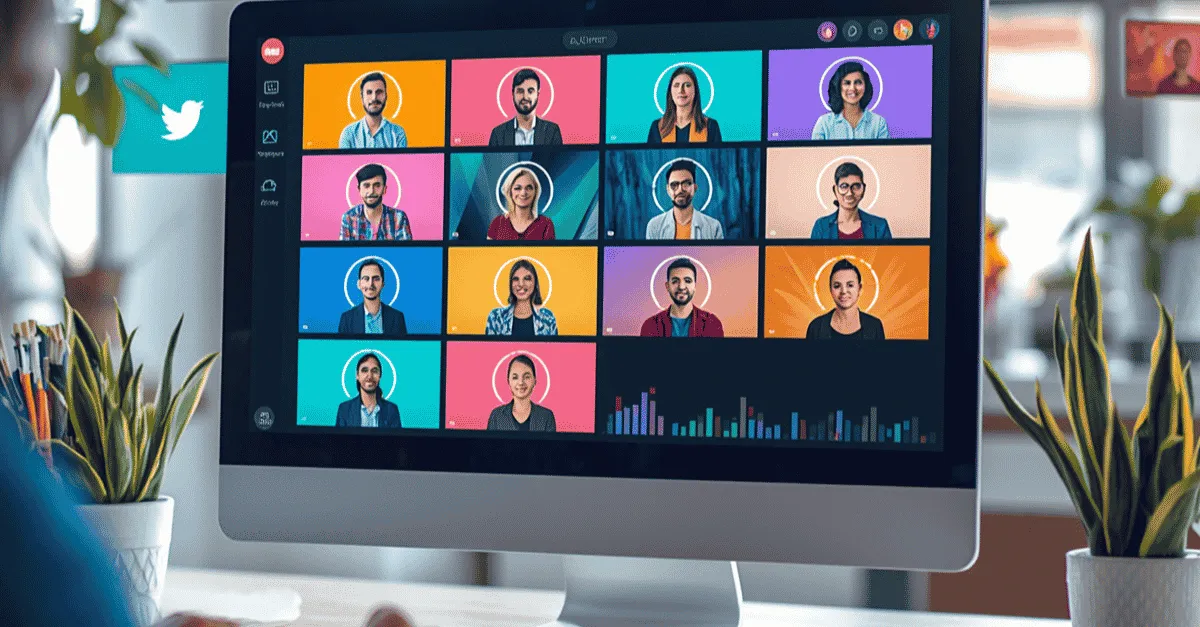
Most coaches let their highly valuable masterclass recordings rot on a hard drive, opting instead to stay trapped on the daily content creation treadmill. However, a single 60-minute live presentation contains enough raw material to fuel your entire month's social media calendar. Discover the exact post-production math and operational framework needed to extract high-converting, short-form clips from your live events, allowing you to stop filming daily without losing visibility.
From Live to Evergreen: The Webinar to Video Pipeline
How do you repurpose a live webinar to video content? To build an effective webinar to video pipeline, follow this 4-step repurposing framework:
-
Context Cleanse: Edit out live audience interactions, dead air, and technical glitches.
-
Micro-Extraction: Identify and isolate 15 to 20 standalone educational points from the main presentation.
-
Vertical Re-framing: Crop the 16:9 landscape footage into a 9:16 vertical aspect ratio for mobile feeds.
-
Hook Re-engineering: Add kinetic text and aggressive visual cuts to the first 3 seconds of each clip to capture scrolling users.
Let’s discuss this topic further.
You just spent three agonizing weeks promoting a live masterclass. You paid for Facebook ads, emailed your list relentlessly, and spent days perfecting your slide deck. Finally, you go live.
You deliver an incredible 60-minute presentation, answer questions with absolute authority, and close several high-ticket clients on the spot. The event is a massive success.
But the moment you click "End Meeting" on Zoom, you are struck by a dark realization: tomorrow morning, you still have to wake up and figure out what to film for your daily Instagram Reels and TikToks.
This is the tragedy of the modern content treadmill. Most coaches and consultants let their highly valuable Video on Demand (VOD) recordings rot on a hard drive, completely ignoring the goldmine of raw media they just created.
They return to the exhausting daily grind of filming 60-second clips from scratch, treating a live event as a one-and-done promotional campaign rather than a foundational content asset.
To break free from this cycle, you must shift your operational mindset. A successful masterclass is the raw fuel for your entire month's content calendar.
Building a strategic webinar to video pipeline means you can effectively stop filming daily content altogether. This guide reveals the exact post-production math and workflow required to chop a single 60-minute live presentation into 30 days of high-converting, short-form video content.
(To understand how this efficiency scales your entire business, refer to our foundational breakdown in An Expert's Guide to Outsourcing Video Editing in 2026).
Repurposing Math (Why 1 Hour = 1 Month of Content)
If the idea of posting 30 videos a month sounds impossible, it is only because you are measuring the output by the time it takes to film from scratch. When you leverage repurposing math, the equation flips. One hour of high-value input can easily generate thirty distinct pieces of output.
Let us deconstruct a standard 60-minute coaching masterclass:
-
Intro (10 Minutes): Welcoming guests, tech checks, and establishing your origin story.
-
Core Teaching (40 Minutes): Delivering the three core pillars or frameworks of your methodology.
-
Q&A & Pitch (10 Minutes): Handling live audience objections and explaining your high-ticket offer.
While the 10-minute intro is usually useless for short-form content, the 40 minutes of core teaching is a dense repository of value. Because you are speaking passionately and explaining complex concepts, this section naturally breaks down into 15 to 20 distinct, 60-second micro-lessons.
Furthermore, the 10 minutes of Q&A is arguably the most valuable asset you possess. When an attendee asks, "Will this framework work for a B2B service?" and you answer it live, you have just recorded a literal objection-handling video.
An editor can extract this exchange, polish it, and you can run it as a highly profitable retargeting ad to audiences who visited your landing page but didn't book a call.
Feed Content vs. Search Content (The Strategic Divide)
Before you begin slicing up your footage, it is absolutely vital to understand the strategic divide between the platforms where this content will live.
As we covered extensively in our guide, Webinar to YouTube: The Evergreen Traffic Engine, uploading your entire, uncut 60-minute webinar to YouTube is a play for long-term Search Intent. When someone actively types a problem into the YouTube search bar, they have the patience to sit through a one-hour lecture to find the solution.
However, this guide is focused entirely on Feed Content. The vertical, short-form algorithms that power TikTok, Instagram Reels, and YouTube Shorts.
Users on these platforms suffer from a massive attention span deficit. They are rapidly swiping through a feed to be entertained. You cannot simply upload a raw, 3-minute horizontal chunk of your webinar to Instagram and expect it to perform.
Feed content requires a completely different pacing architecture. It must look, feel, and sound like it was natively filmed for the feed, which requires aggressive, specialized post-production.
'Webinar Recording Editing' Framework
Extracting a viral clip from a dense presentation is not as simple as setting a start and end point. Proper webinar recording editing requires a specialized 3-step operational framework to transform a live lecture into a scrolling pattern interrupt.
Step 1: The "Live" Context Cleanse
When you are live on Zoom, you naturally say things like, "Drop a 1 in the chat if you can hear me," or "Let me just share my screen really quick," or "Welcome, Sarah, glad you could join us."
If a user scrolling on TikTok hears you say "Drop a 1 in the chat," their brain instantly registers that they are watching an outdated, repurposed recording of an event they missed.
They will immediately scroll away. The very first step of the editing framework is for your post-production team to aggressively scrub the timeline and delete all live-audience interactions, dead air, and technical glitches.
The final clip must sound like a direct, authoritative monologue to the camera.
Step 2: Hook Re-Engineering
If your editor extracts a brilliant 60-second explanation from minute 45 of your webinar, the clip naturally lacks an opening hook. You were likely mid-sentence when the profound thought began.
To survive in the feed, professional editors must manufacture a pattern interrupt at the very beginning of the clip. This is achieved through Hook Re-engineering.
The editor will add aggressive kinetic text to the first 3 seconds, spelling out the core pain point being addressed. They might also apply a rapid digital zoom (a punch-in) or a sound effect to instantly arrest the user's scrolling thumb and buy the necessary time to deliver the value.
Step 3: Vertical Re-framing & Visual Splitting
Webinars are recorded in a 16:9 landscape aspect ratio. Social feeds demand a 9:16 vertical aspect ratio. If you just shrink the landscape video to fit a vertical screen, the video becomes tiny, surrounded by massive black bars, and is visually unappealing.
A skilled editor will reframe the footage entirely. If you are sharing a presentation slide, the editor will utilize a split-screen technique: the top half of the vertical frame features your face closely cropped (so your facial expressions maintain emotional resonance), while the bottom half displays the specific slide graphic you are referencing. This ensures the visual data is perfectly optimized for a mobile screen.
Applying Podcast Workflows to Live Webinars
If your live masterclass featured a guest speaker, a panel of experts, or a live student case study, you can unlock an even higher tier of content repurposing. The exact techniques utilized by top media agencies to repurpose podcasts to short form content perfectly align with webinar extraction.
When you watch a viral clip from the Joe Rogan Experience or the Modern Wisdom podcast on TikTok, you rarely see a static, wide shot of the room.
You see a dynamic, vertical split-screen where both the host and the guest are stacked on top of one another. The kinetic text captions usually sit squarely in the center, bridging the two faces.
When an attendee asks a question during your webinar Q&A, your editor can apply this exact podcast workflow. They can isolate the attendee's webcam feed, place it on the top half of the vertical screen, and place your webcam feed on the bottom half.
As the attendee speaks, the viewer sees your active listening reactions. When you answer, the viewer sees the attendee nodding in agreement. This creates a highly engaging, dynamic conversational clip that performs exceptionally well on short-form feeds because it mimics top-tier podcast aesthetics.
Why "One-Click" AI Clippers Destroy Coaching Context
In an attempt to save money, many coaches have turned to "one-click" AI clipping tools that promise to automatically find the most viral moments in a long-form video. While these tools are heavily marketed, they represent a massive risk to high-ticket coaches and consultants.
The AI Blindspot
AI clipping software operates on an inherent blindspot: it looks for volume spikes, keyword frequency, and laughter. It does not understand psychological nuance, industry-specific terminology, or complex teaching frameworks.
When an AI tool attempts to chop up a high-level masterclass on B2B sales cycles or trauma-informed therapy, it almost always fails. It will cut a sentence in half, strip away the vital context needed to understand the concept, and stitch together a disjointed, confusing clip. Your intellectual property is butchered, and instead of looking like an industry authority, you look like a frantic amateur making no logical sense.
The Editing Machine Solution
Protecting your coaching context requires human oversight. At Editing Machine, we have engineered a hybrid pipeline that solves this problem permanently.
We utilize advanced AI tools strictly for transcription speed and mechanical sorting. However, an elite human creative director reviews your webinar to hand-select the clips.
Our human editors understand exactly where a thought begins and ends. They protect your intellectual property, ensuring that your nuanced frameworks are preserved perfectly within the 60-second window.
We merge the speed of machine processing with the strategic taste of human direction, ensuring your brand safety is never compromised.
In Conclusion
A successful live webinar should not mark the end of a marketing campaign; it should be the starting point of your content distribution engine.
Stop waking up every morning wondering what to film. Stop letting your most brilliant, unscripted coaching moments die in a hidden Dropbox folder. Capture your live brilliance once, and let a strategic post-production workflow cascade that value across every social platform on the internet.
Don't let your best coaching moments go to waste. Create your Editing Machine account today to reclaim your calendar.
FAQs
Q: What does it mean to repurpose a webinar to video? A: To repurpose a webinar to video means taking the long-form recording of a live online presentation and editing it into multiple shorter, highly optimized video assets. Instead of letting the VOD recording sit idle on a hard drive, you extract 60-second micro-lessons, format them for vertical platforms like TikTok, Reels, and Shorts, and use them to drive high-velocity, evergreen traffic back to your coaching business.
Q: How do you format webinar recording editing for social media? A: Proper webinar recording editing for fast-paced social media feeds requires stripping away all "live" context. You must rigorously edit out audience roll-calls, dead air, and technical slide transitions. Then, you must reframe the horizontal 16:9 landscape footage into a mobile-friendly 9:16 vertical format, and apply aggressive kinetic text and visual hooks to instantly capture the attention of fast-scrolling users.
Q: Can you repurpose a podcast to short form the same way as a webinar? A: Yes, the technical workflow to repurpose podcast to short form content is nearly identical to webinar extraction. Both strategies rely on taking a long-form, dialogue-heavy asset and isolating the most impactful, emotionally resonant statements. By utilizing split-screen editing and dynamic kinetic captions, both podcasts and live Q&A webinars can be efficiently chopped into dozens of high-performing social media clips.
More from the Blog
Video Content Repurposing: The 10x Multiplier Framework
Most content creators treat repurposing as something they do when they have time, which means they almost never do it. The 10x Multiplier Framework treats it as the default production model: every recording session is planned with repurposing built in from the start, and every edited asset points toward the next format. This guide covers the full framework and the specific formats each recording type should produce.
Shopify Product Video: The Editing Checklist That Lowers Bounce Rate
Adding a video to your Shopify product page is not the same as adding a video that lowers bounce rate and increases conversion. Most product videos on Shopify are too long, start too slowly, and are not optimized for silent autoplay on mobile. This editing checklist covers every decision that separates a product video that converts from one that gets scrolled past.
Dedicated Video Editor Service: When a Subscription Beats a Full-Time Hire
Most businesses that are considering hiring a full-time video editor have not run the real numbers. When you include benefits, equipment, software licenses, desk space, and management overhead, a full-time junior editor in the US costs $65,000 to $80,000 per year in total. This guide runs the full cost comparison and identifies the output threshold at which a subscription service wins on economics.
See if Editing Machine is the right fit for your content.
Take 90 seconds to tell us about your goals, content style, and volume. We'll show you which setup fits and exactly where to start.