How to Add Captions to Video (Without Killing Retention)
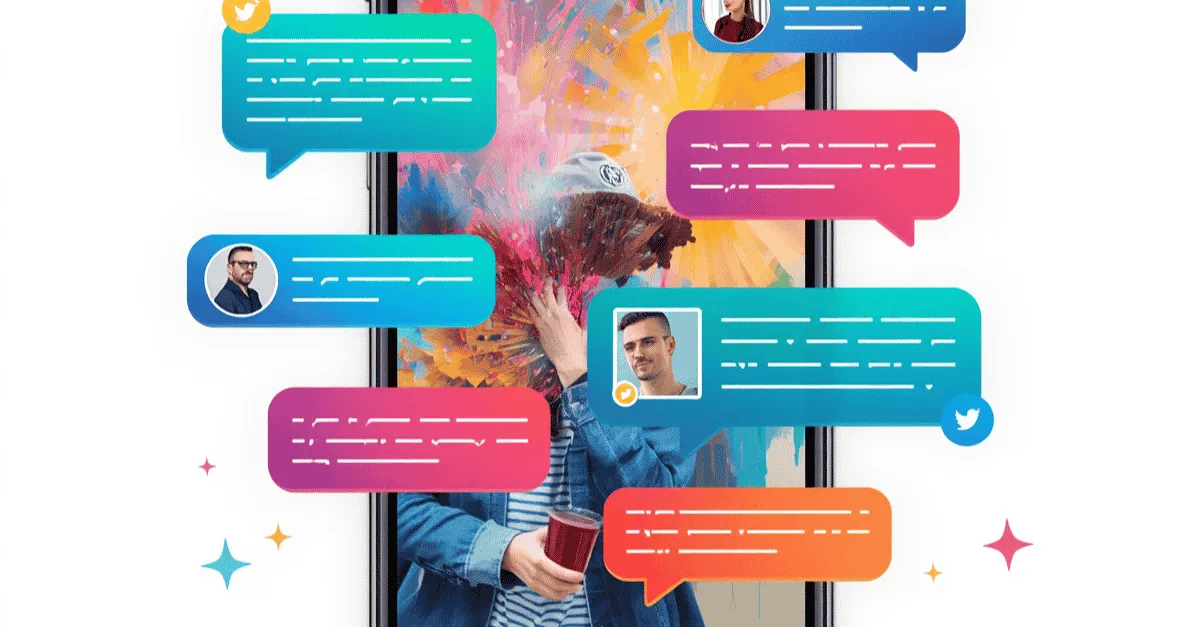
Muted scrolling is the default for over 80% of social media users, making burned-in text a baseline requirement for any modern campaign. However, simply slapping auto-generated paragraphs onto your video creates visual clutter, causes cognitive overload, and destroys your average view duration. Discover how to transform boring transcription utilities into algorithmic hooks using kinetic animation, strict safe zones, and strategic color psychology.
How to Add Captions to Video (Without Killing Retention)
What is the best way to add captions to video? To effectively add captions to video without dropping your retention rate, follow this tactical 4-step workflow:
-
Choose Kinetic over Static: Use dynamic, word-by-word text animations rather than static paragraphs to maintain visual pacing.
-
Limit Screen Clutter: Never exceed 3 to 5 words on screen at a single time to prevent cognitive overload.
-
Obey Platform Safe Zones: Anchor your text to the center-middle of a 9:16 frame so it is never covered by native UI buttons.
-
Highlight Power Words: Apply a high-contrast brand color to emotional trigger words to guide the viewer's eye and hold attention.
Social media is defined by the mute button. Industry reports consistently reveal that the vast majority of mobile video consumption, upwards of 80% on platforms like LinkedIn, Instagram, and Facebook, happens in total silence.
Users are scrolling during their commutes, waiting in lines, or sitting in open-plan offices, completely unwilling to broadcast their audio to the world.
To survive in this muted reality, creators and direct-response marketers know they must add captions to video files before publishing. However, a massive execution problem plagues the industry.
In an effort to be compliant with silent feeds, editors often utilize native auto-generators that dump massive, static paragraphs of text onto the screen. Instead of saving the video, this execution causes immense visual clutter, covers the creator's face, and ultimately destroys the Average View Duration (AVD).
There is a monumental difference between boring utility text and algorithmic, kinetic text. If you simply slap an auto-generated block of transcription onto your screen, you are actively driving viewers away.
The goal of post-production text is not just to transcribe audio; it is to weaponize text as a continuous visual pattern interrupt.
This guide reveals the tactical framework required to integrate dynamic text that complies with accessibility standards while directly increasing viewer retention in 2026.
(This strategic guide is a core component of our Video Production Education & Fundamentals).
Captions vs Subtitles: Knowing Your Post-Production Goal
Before executing a text strategy, it is critical to align your post-production team on exactly what you are trying to achieve. Many marketers use the terms interchangeably, but failing to understand the strategic difference between captions vs subtitles will derail your editing workflow.
Defining the Structural Differences
-
Subtitles: This format is designed strictly for viewers who can hear the audio but do not understand the spoken language. Subtitles assume the viewer can hear the emotional inflection, the background music, and the sound effects. They are purely a linguistic translation tool.
-
Captions: This format is designed for viewers who are experiencing the video in total silence. Because the viewer cannot hear anything, captions must replace the entire audio experience. This means transcribing the spoken word, but also visually indicating critical non-speech cues (e.g., [Cash register dings] or [Suspenseful music builds]).
Social Media Standard (Burned-In Text)
When optimizing for TikTok, Instagram Reels, and YouTube Shorts, you are almost entirely dealing with captions, not subtitles. Furthermore, you must rely on "Open Captions", meaning the text is permanently burned into the visual pixels of the video file and cannot be turned off.
You cannot rely on "Closed Captions" (CC) toggles on social media. A viewer scrolling at hyper-speed will not pause to manually enable a closed captioning setting. Your text must be native, immediate, and visually dominant the millisecond the video appears in their feed.
"Utility Text" Trap (Why Auto-Captions Kill Retention)
The rapid advancement of AI transcription tools has created a lazy post-production culture. Editors simply drop a video into a generator, export the default text file, and upload it. This creates the "Utility Text" trap.
Auto-Generator Flaw
Standard transcription applications are built for accuracy, not for human psychology. By default, these programs tend to clump 10 to 15 words together, rendering them at the very bottom of the screen in a basic, static font. This creates a massive wall of text that looks like a news broadcast teleprompter.
Cognitive Overload and the Scroll-Away Reflex
When a viewer encounters a large paragraph of text on a 9:16 vertical video, their brain instantly registers the content as "work." Social media is a passive entertainment and discovery vehicle.
If a user is forced to read a long sentence, they stop watching the visual elements of the video. The cognitive friction becomes too high, and rather than reading the paragraph, they simply swipe to the next video.
Visual Clutter and Wasted Production Value
Furthermore, static blocks of text destroy your production value. You likely spent thousands of dollars on lighting, camera gear, and set design.
If your editor places a massive black box with white text across the bottom third of the video, they are covering up critical B-roll, product demonstrations, and the expressive hand gestures of the speaker.
Utility text suffocates the visual frame, rendering your expensive camera gear entirely useless.
Algorithmic, Kinetic Text (High-Retention Standard)
To transform text from a boring utility into an algorithmic hook, you must adopt the kinetic text standard. This means animating your captions so they serve as a dynamic extension of the video's pacing.
Mastering Visual Pacing
The human eye is biologically programmed to track movement. Instead of showing an entire sentence, professional editors program the text to pop onto the screen one to three words at a time, perfectly synced to the cadence of the speaker's voice.
This technique forces the viewer's eye to remain locked on the center of the screen. Because the visual information changes every fraction of a second, it creates a continuous chain of micro-pattern interrupts.
These rapid visual shifts manufacture small dopamine hits in the viewer's brain, making it psychologically difficult for them to look away or scroll past.
Color Psychology and Power Words
Kinetic text allows you to manipulate visual hierarchy. When animating the words, your editor should apply a high-contrast brand color to specific emotional trigger words, often referred to as "Power Words."
For example, if the spoken sentence is, "Stop wasting money on bad ads," the entire sentence should not be white. The word "STOP" should flash in an aggressive red, and the word "MONEY" should pop in a bright green.
This tactical color coding guides the viewer's emotional response, emphasizing the pain points and hooks of your direct-response copy without requiring them to hear the audio inflection.
Learn more:Hook Rate Optimization: Editing for the First 3 Seconds
Emojis as Visual Anchors
The modern consumer communicates visually. Pairing your kinetic text with a relevant, animated emoji drastically increases memory retention. Emojis act as cognitive anchors; they allow the brain to process the context of the sentence faster than reading the word alone.
Inserting a 📉 emoji next to the word "drop" or a 🚀 emoji next to "scale" softens the aesthetic, making a highly-produced brand ad feel native and organic to a social media feed.
Safe Zones and Video Accessibility Guidelines
Even the most beautiful kinetic text animation will fail if it is placed incorrectly on the canvas. Tactical execution requires strict adherence to spatial geometry and visual compliance.
The UI Threat on Vertical Platforms
Every platform (TikTok, Instagram Reels, YouTube Shorts) features an aggressive user interface overlay. The right side of the screen is covered by "Like," "Comment," and "Share" buttons. The bottom quarter of the screen is completely obscured by the creator's username, the video description, and scrolling music tickers.
If you place your captions at the very bottom of the screen—where traditional television captions sit—they will be entirely blocked by the native UI.
Y-Axis Rule
To guarantee your text is readable, you must follow the strict Y-Axis rule: Anchor your text exactly to the center-middle third of the 9:16 vertical canvas.
The text should sit just below the speaker's chin, occupying the exact center of the screen. This ensures the captions never overlap with interface buttons, regardless of whether the user is watching on an iPhone Mini or a massive iPad screen.
Video Accessibility Standards
Integrating proper text formatting is a massive component of video accessibility. To ensure your content is legible for visually impaired users, and easily readable against bright, complex video backgrounds, you must utilize high-contrast design.
Never use thin, elegant serif fonts. Use thick, bold, sans-serif typography (like Montserrat, The Bold Font, or Proxima Nova). Furthermore, every text layer must have a contrasting stroke or drop shadow. If your text is bright white, it must have a hard black outline.
This guarantees that if the video cuts to a bright white background, the text remains 100% visible and accessible, preventing the viewer from losing the narrative thread.
How to Outsource Kinetic Text at Scale
Understanding the tactical rules of kinetic text is easy; executing it at scale is a massive operational hurdle. Frame-by-frame text animation is arguably the most tedious, time-consuming task in modern video editing.
Time Sink of Manual Animation
If your in-house editor or freelancer is manually cutting text layers in Adobe Premiere Pro or building custom keyframe animations in After Effects, they are wasting hours of valuable time.
A highly stylized 60-second video can take three hours just to caption correctly. This manual bottleneck kills your content velocity and prevents you from scaling your ad testing.
The Editing Machine Workflow
At Editing Machine, we have engineered a hybrid post-production pipeline that entirely eliminates the friction of text animation. We merge the lightning-fast accuracy of AI transcription with the refined design taste of human editors.
When you onboard through our portal, your custom Brand Profile stores your exact typographic rules. You define your primary font, your brand hex codes for "Power Words," and your preferred animation style (e.g., single-word pop-ups vs. three-word kinetic reveals).
Our system automatically transcribes and maps the text to the timeline within seconds. Our human editors then step in to stylize the output, ensuring every power word is highlighted, every emoji is contextually accurate, and all text remains strictly within the platform safe zones.
You receive broadcast-quality, high-retention text formatting natively in the edit, without sacrificing your turnaround times.
Learn more:An Expert's Guide to Outsourcing Video Editing in 2026
In Conclusion
Audio is a luxury in modern content consumption; text is an absolute necessity. However, treating your text as a boring transcription utility is a guaranteed way to clutter your visuals and destroy your viewer retention.
To thrive on muted feeds, you must elevate your post-production standards. Embrace kinetic, word-by-word animation to manufacture visual pacing.
Create your account today with Editing Machine, and ensure every video you publish captures attention, perfectly aligned with your brand's visual identity.
FAQs
Q: How do you add captions to video for social media? A: The most effective way to add captions to video for social platforms is to use burned-in, kinetic text. Limit the on-screen display to 2 to 5 words at a time to prevent cognitive overload, anchor the text to the absolute center to avoid native platform UI buttons, and use bold, high-contrast fonts (like thick white text with a dark shadow) to maintain visual pacing and readability.
Q: Why are video accessibility features important for retention? A: Proper video accessibility directly increases your retention metrics because it caters to the 80%+ of users who consume mobile content on mute. High-contrast, well-paced captions ensure that the hard-of-hearing community, non-native speakers, and silent scrollers can instantly understand your hook and follow the narrative without relying on audio cues.
Q: What is the main difference between captions vs subtitles in marketing? A: In digital marketing, the debate of captions vs subtitles comes down to the user's environment. Subtitles assume the user can hear the video but needs a language translation. Captions assume the user is watching in total silence, meaning the text must visually convey the spoken dialogue, vocal emphasis, and critical sound effects to keep the viewer fully engaged.
More from the Blog
Video Content Repurposing: The 10x Multiplier Framework
Most content creators treat repurposing as something they do when they have time, which means they almost never do it. The 10x Multiplier Framework treats it as the default production model: every recording session is planned with repurposing built in from the start, and every edited asset points toward the next format. This guide covers the full framework and the specific formats each recording type should produce.
Shopify Product Video: The Editing Checklist That Lowers Bounce Rate
Adding a video to your Shopify product page is not the same as adding a video that lowers bounce rate and increases conversion. Most product videos on Shopify are too long, start too slowly, and are not optimized for silent autoplay on mobile. This editing checklist covers every decision that separates a product video that converts from one that gets scrolled past.
Dedicated Video Editor Service: When a Subscription Beats a Full-Time Hire
Most businesses that are considering hiring a full-time video editor have not run the real numbers. When you include benefits, equipment, software licenses, desk space, and management overhead, a full-time junior editor in the US costs $65,000 to $80,000 per year in total. This guide runs the full cost comparison and identifies the output threshold at which a subscription service wins on economics.
See if Editing Machine is the right fit for your content.
Take 90 seconds to tell us about your goals, content style, and volume. We'll show you which setup fits and exactly where to start.